



Let us continue our previous post, here we will update the script to add an onchange event to the Identify Sales Team field in the Business Process Flow. Based on the value selected we will make the Develop Proposal field mandatory.

Below is the code we need to add for it.

function OnLoad(executionContext)
{
	 var formContext = executionContext.getFormContext();
	 formContext.data.process.addOnStageChange(CheckStageAndToggleFieldBPF);
	 CheckStageAndToggleFieldBPF(executionContext);
}

 function CheckStageAndToggleFieldBPF(executionContext) {

        var formContext = executionContext.getFormContext();
        var activeStage = formContext.data.process.getActiveStage();
        var activeStageId = activeStage.getId();
        var stagePropose = "3a275c22-fc45-4e89-97fc-41e5ec578743";

        if (activeStageId.toLowerCase() === stagePropose) {
                formContext.getControl("header_process_identifypursuitteam").setDisabled(false);
        }
        else {
            formContext.getControl("header_process_identifypursuitteam").setDisabled(true);
        }

		formContext.getControl("header_process_identifypursuitteam").getAttribute().addOnChange(function(executionContext) {

                if (formContext.getControl("header_process_identifypursuitteam").getAttribute().getValue())
				{
                    formContext.getControl("header_process_developproposal").getAttribute().setRequiredLevel("required");
                }
                else
				{
                    formContext.getControl("header_process_developproposal").getAttribute().setRequiredLevel("none");
                }
            });
  }
We can add it to the field if it is in the form also, that will also work the same. However, if we do not have the field on the form we need to add it to the field on the BPF.
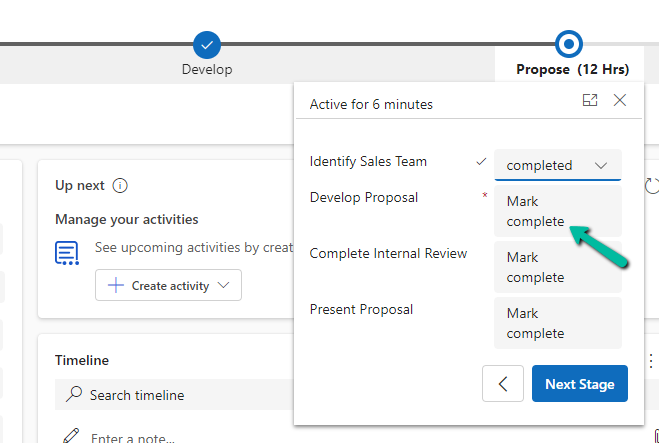
On selecting the value completed for Identify Sales Team, we can see the Develop Proposal field being set as mandatory.

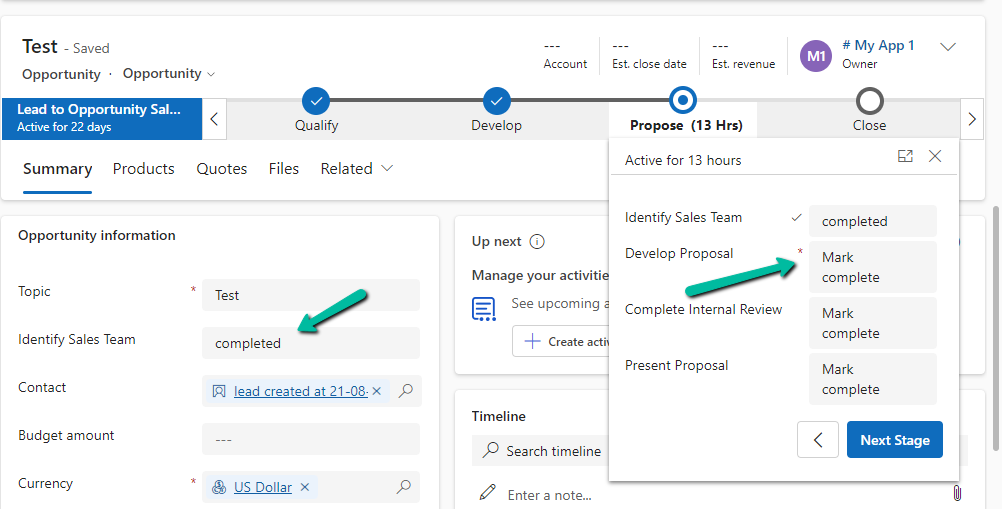
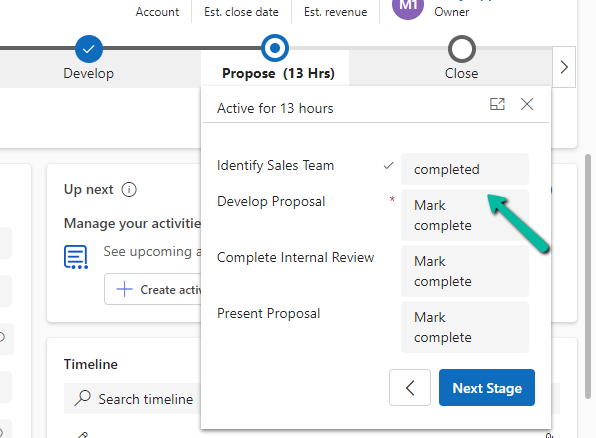
Later if we add the same field on the form, or into another stage of the BPF, the onchange event will apply and work for them.
For the field on the form –
Same field in another stage –

Hope it helps..
Discover more from Nishant Rana’s Weblog
Subscribe to get the latest posts sent to your email.
Share It –

