


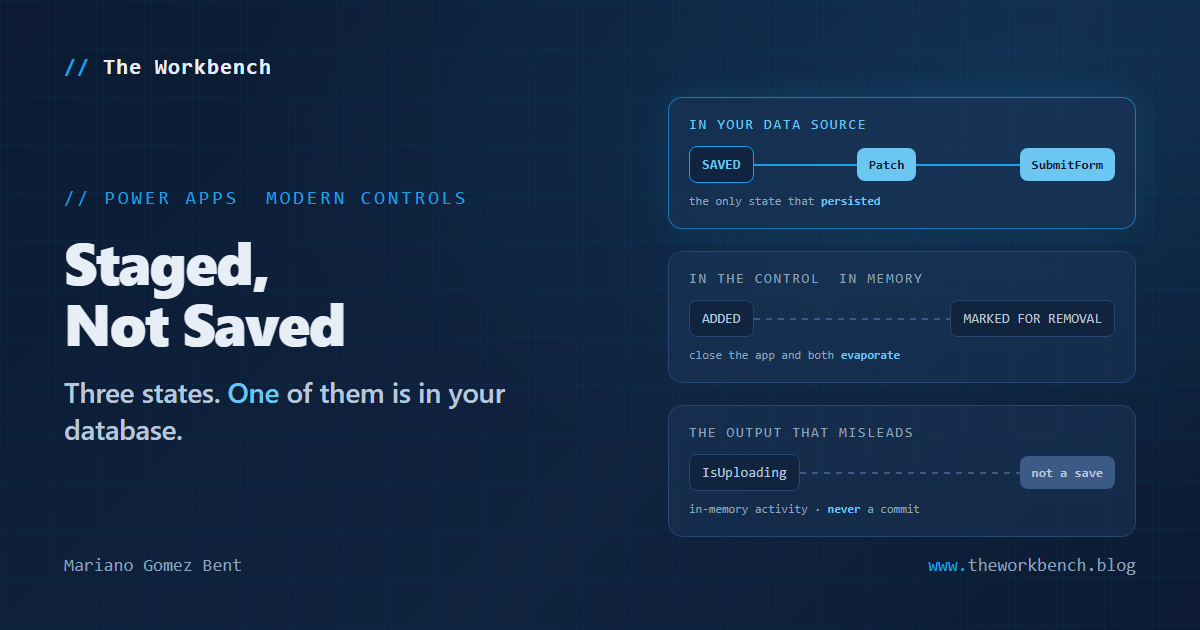
A file in the new Attachments control for canvas apps can be in one of three states, and only one of them is in your database.
That sentence is the whole feature, and it is also every bug you are going to file against it.
Background
The classic Attachments control only worked inside a form: no form meant no attachments. The modern Attachments control, now in preview for canvas apps, cuts that cord. It works outside a form, and its Attachments output passes straight to Patch. Inside a form you still use SubmitForm. Outside one, you write the save yourself.
Which brings us to the sentence the documentation puts in a callout:
Adding a file to the control stages it in the app. It doesn’t save the file to the data source.
The three states
Saved. Added but not saved. Marked for removal.
A user drops two PDFs on the control and deletes one that was already there. Nothing has happened to your data source. The control is holding two additions and a pending deletion, and if the user closes the app right then, all three decisions evaporate and the record is exactly as it was. That is the right design, and it is the opposite of what people assume when a file shows up in a list.
Three documented consequences follow. AttachmentsCount excludes files marked for removal, so it tells you what the record would hold if you saved now, not what it holds. Removing a saved file only marks it; you save to make the deletion real. And a file whose name matches an existing attachment gets a suffix rather than replacing it, so a same-name upload is not the replacement your users will assume it is.
IsUploading is not a save confirmation
The control exposes IsUploading, and the documentation is unusually blunt about it: the property reflects whether files are being added to the control’s in-memory state, and it isn’t confirmation that Patch or SubmitForm saved anything.
Read that twice if you have ever bound a spinner to a loading flag and called it done. A Save button disabled on IsUploading tells the user the app finished reading their file off disk. It says nothing about whether the record was written. Two operations, two failure modes, and the second is the one your user cares about. OnError has the same shape: it fires when adding a file fails, not when saving does, so wrap your Patch in IfError.
Why it matters
For makers, this is the control that lets you stop building a form you never wanted. A gallery on the left, documents on the right, no data card, saved by a button you wrote.
For professional developers, two things. OnAddFile fires once per file, not once per batch, so dropping five files runs your handler five times. If it writes a row or calls a flow, you have written a loop you did not intend.
And the limits are guidance, not enforcement. Control limits don’t override the data source’s file-size restrictions or file-type policies, and AcceptedFileTypes steers the file picker rather than replacing validation. A .pdf extension has never been a promise about the bytes behind it.
NOTE: a Dataverse file column holds one file per record and will not take the Attachments table. Build a single record from the file’s Name and Value instead.
The lab
Everything you need to see this for yourself is in github.com/dgpblogster/attachments-staged-lab, MIT, clone it or download the zip. The control definition for the SharePoint shape, the save formula for an attachment column and the different one a Dataverse file column needs, and a STATES.md with six experiments and their expected results. Each experiment isolates one state transition: add and close without saving, remove a saved file and watch the count lie to you, upload a same-name file and get a suffix, exceed the limits, and the one that matters most, switch records with edits pending.
That last one is a design obligation rather than a defect. Keep the selected record unchanged while unsaved attachment edits exist, and give the user a way to save or discard before they navigate, because otherwise the control lets them lose work quietly.
Final Notes
The staging model is the feature, not a limitation of it. The classic control hid the save inside the form, which made it simple and made it useless outside one. This one hands you the save and, with it, the job of knowing what is committed.
So the work isn’t learning six properties. It is deciding what your app does when a user has three files staged and clicks away, and making sure the word “saved” in your interface means what the database would say.
What I learned from this exercise: a control that stages changes has handed you a transaction, and a transaction you didn’t know you had is the most reliable source of data loss there is.
Until next post!
MG.-
Mariano Gomez Bent
Former Microsoft BizApps MVP