

Microsoft Ignite 2026 was held in November at San Francisco. And if you work with Power Platform / Copilot Studio or Dynamics 365 there was a lot to take in. The common thread across the week was clear: Copilot is becoming the place where work happens, and Business Applications are being repositioned as the skills, data and processes that sit behind it.
In this article I will cover the announcements I believe matter most to BizApps practitioners, what their availability status is, and what you should be doing about them. I will also share a demo of the new Copilot Studio Apps Preview.
Dynamics 365 in Copilot
The headline Dynamics 365 announcement was Dynamics 365 in Copilot. Rather than users jumping into each app, Dynamics 365 capabilities are now delivered as plugins with prebuilt business skills inside Microsoft Copilot.
- Sales and Customer Service plugins (GA): more than 57 business skills between them.
- ERP apps plugin (GA): more than 39 finance and operations skills, with expanded Excel connectivity.
- Typical scenarios: building account plans, preparing for customer meetings, catching up on deals, prioritising pipeline and managing purchase orders.
- Work IQ: Dynamics 365 data is now natively integrated with Work IQ, so agents can use CRM and ERP context alongside Microsoft 365 data.
Microsoft’s own sellers recorded more than a 25% reduction in effort on account planning, meeting prep and proposal building, and 9% faster deal closure (Microsoft internal telemetry). For customers already on Dynamics 365, this is value that comes from data you already have.
Dynamics 365 Activate: agentic migration
Dynamics 365 Activate uses agents to accelerate migrations from other platforms into Dynamics 365.
- Activate for CRM (GA): migration from Salesforce to Dynamics 365.
- Activate for ERP (private preview): starting with SAP ECC. Discovery is available, with requirements analysis, configuration and data migration in private preview.
- Scope: discovery, requirements analysis, configuration and data migration.
- Scale: Microsoft cited one customer moving 20,000 users from Salesforce in about five months, compared with the typical 12 to 18 months.
Sidenote, SAP ECC (ERP Central Component) mainstream maintenance is ending, so migration decisions are due now. If you are advising customers on ERP replatforming, Activate is worth getting across early.
Copilot Studio: a better harness and persistent agents
Copilot Studio received a significant update under the hood with the new Microsoft Copilot harness, which is now generally available. Compared with the Standard harness, Microsoft’s internal evaluations report:
- Multitool performance improved from 87.0% to 98.9%.
- 45% fewer input tokens per task.
- Knowledge answer quality up more than 20 points, and code analysis quality more than doubled.
Alongside the harness, agents are becoming more persistent:
- Agent Accounts give agents their own identities, and enter public preview in December 2026. According to Microsoft Learn, each agent gets a mailbox, calendar and OneDrive, at 100 Copilot Credits per agent per month plus usage.
- Memory and triggers let you delegate work to an agent via a document, email or Teams, and have it carry the task through.
- You can now build in Copilot Studio, Cowork, Code or the Copilot Studio CLI. Creating agents and workflows through Cowork and Code, and the CLI with Copilot Studio MCP, are in public preview.
- Agent sharing (multiple makers on the same agent) and the customer conversation harness for voice and chat are generally available.
More capable agents that use fewer Copilot Credits. If you have agents on the Standard harness, test them on the new harness and compare both quality and consumption.
Copilot Managed Runtime is generally available
Copilot Managed Runtime is Microsoft-operated hosting for apps built in Copilot Code, Copilot Cowork, Copilot Studio or GitHub Copilot.
- Microsoft Entra sign-in, governed data connections and Git-backed code.
- Every app is visible and managed in the Microsoft 365 admin center.
- In preview: building Copilot Studio agents and workflows locally and publishing via the CLI, and an optional Microsoft Fabric data backend for apps.
Vibe-coded apps become managed apps that IT can trust. This has been the missing piece for AI-generated apps, as makers could build quickly but there was no consistent answer for identity, governance and inventory.
Apps in Microsoft Copilot Studio
The app creation experience in Copilot Studio helps you build functional apps that solve business problems. You describe your requirements in natural language, Copilot Studio may ask clarifying questions and propose an approach, and then generates an interactive app preview. From there you refine the app through conversation, publish it and share it.
Apps created in Copilot Studio run on Copilot Managed Runtime, which provides identity, governance, approved connectivity and an app inventory for administrators. Usage is billed in Copilot Credits.
A note on status: I recorded the demo below while the experience was in public preview. At Ignite, Microsoft announced app creation in Copilot Studio as generally available, rolling out through November, so depending on your tenant you may still see it labelled as preview for a short while.
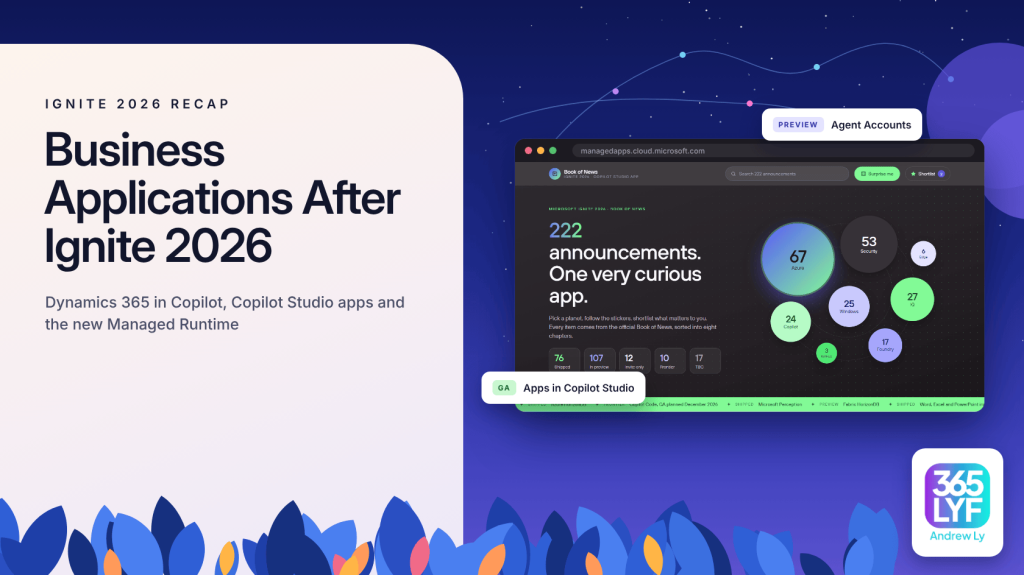
To try it out, I built a small app that turns the Ignite 2026 Book of News into something you can browse by chapter, filter by availability status and shortlist the announcements that matter to you.

If you have been following my earlier article on Power Apps Vibe retiring, this is one of the two official rebuild targets for vibe apps, so it is worth getting familiar with it.
Demo: building an app in Copilot Studio
The video below walks through creating an app in Copilot Studio from a natural language description, refining it through conversation and publishing it.
Other announcements worth knowing
Power Platform
Leon Welicki’s (Vice President, Power Platform at Microsoft) post focused on bringing existing apps into the agentic era without rebuilding them. Highlights include:
- Copilot in model-driven apps, generally available since April, and Microsoft 365 Copilot in canvas apps, which Microsoft states is GA in November.
- Maker productivity: a detachable formula bar, the delegation limit raised to 10,000 items and a grid container for responsive layouts.
- Power Automate: inline views in cloud flows, and Flowchart and Flow Map views in Power Automate for desktop.
- Dataverse for developers and agents: Dataverse MCP, the Dataverse Ask API and a Dataverse plugin for coding agents.
Business Applications in Work IQ
Work IQ now exposes Dynamics 365 and Power Platform apps, flows and sites as context for agents in Microsoft Copilot, Cowork, Copilot Studio and GitHub Copilot, within existing permissions. Dataverse security remains the main safeguard, and AI admins control Work IQ MCP availability. Some components, including ERP, are still in preview, so check status per component on Microsoft Learn.
Agent 365 Cost Management
With more services billed on usage, Agent 365 Cost Management in the Microsoft 365 admin center (preview) provides spend visibility, spending policies, limits and alerts across Copilot Studio, Managed Runtime, Cowork and other usage-based services. Value insights and delegation to business leaders are planned for December.
Microsoft Contact Center Intelligence
Contact Center Intelligence is now generally available, adding purpose-built agents for voice and digital channels on top of existing contact centre platforms.
Summary of availability
| Announcement | Status |
|---|---|
| Dynamics 365 Sales and Customer Service plugins | Generally available |
| Dynamics 365 ERP apps plugin | Generally available |
| Dynamics 365 Activate for CRM (Salesforce) | Generally available |
| Dynamics 365 Activate for ERP (SAP ECC) | Private preview |
| Microsoft Copilot harness in Copilot Studio | Generally available |
| Agent Accounts with memory and triggers | Public preview from December 2026 |
| Copilot Studio CLI and Copilot Studio MCP | Public preview |
| Copilot Managed Runtime | Generally available |
| Fabric data backend for Managed Runtime | Preview |
| App creation in Copilot Studio | Generally available, rolling out in November |
| Agent 365 Cost Management | Preview |
| Microsoft Contact Center Intelligence | Generally available |
What should you do next?
- Dynamics 365 customers: enable the Sales, Customer Service and ERP plugins in a test environment and assess which skills align with your users’ daily work.
- Copilot Studio makers: move existing agents to the new harness in a test environment and compare quality and Copilot Credit consumption.
- Admins: review the Microsoft 365 admin center for apps on Managed Runtime, and set spending limits in Agent 365 Cost Management before usage grows.
- Organisations on SAP ECC or Salesforce: include Dynamics 365 Activate in your migration planning.
- Everyone: plan for Agent Accounts in December, including Entra Agent ID, licensing and how agent identities fit your security model.
Summary
Ignite 2026 confirmed that Business Applications are moving into Copilot. Dynamics 365 skills now sit inside Copilot, agents are becoming persistent with their own identities, and apps built with AI finally have a governed home in Copilot Managed Runtime. For practitioners, the focus now shifts to governance, cost management and understanding which of these capabilities are production ready.
Keep an eye on Microsoft Learn and the release plans, as a number of these features are rolling out over the coming weeks.
References
- Microsoft Ignite 2026 Book of News
- Microsoft Ignite 2026: Introducing Dynamics 365 in Copilot
- Build and manage business processes with Microsoft Copilot Studio
- How the Microsoft Copilot harness in Copilot Studio helps agents finish the job
- Build apps in Copilot Cowork and Copilot Studio
- Copilot Managed Runtime
- Turn AI ambition into real business value with Power Platform
- What’s new in Work IQ at Ignite 2026
- Microsoft Contact Center Intelligence now generally available
- Microsoft 365 resources for agents (Agent Accounts)