


Over the last few months, I started experimenting with AI agents around different Business Central scenarios. The journey did not begin with the goal of creating a product or building something complex. It started with a simple curiosity and a question that kept coming to my mind:
Can AI move beyond answering questions and actually become a useful assistant for Business Central consultants and developers?
As someone working closely with Business Central implementations, development, and support scenarios, I wanted to explore where AI could genuinely create value in everyday work. I started looking at common activities where consultants and developers spend significant time collecting information, analyzing problems, and preparing solutions.
Initially, my focus was mainly on capability. I wanted to understand how AI could analyze information, understand Business Central concepts, and provide useful recommendations. Like many people exploring AI, I started by experimenting with different models, prompts, instructions, and available tools.
The early results were interesting. The AI could explain concepts, summarize information, review scenarios, and help answer technical questions. It was impressive to see how quickly AI could process information and generate responses. However, as I moved from simple experiments into more practical Business Central use cases, I started noticing an important difference.
Building an AI agent for Business Central is very different from building a general chatbot. A general chatbot can provide an answer based on the information it knows. But a Business Central consultant usually needs much more than an answer.
When a consultant investigates an issue, they need to understand the complete situation. What happened? Which process was running? Is the behavior expected? Is customization involved? What information is missing? What should be checked next?
The value is not only in finding an answer. The value comes from understanding the problem and helping reach the right decision.
This changed my approach. Instead of focusing only on making the AI more knowledgeable, I started focusing on designing better workflows around the AI agent — providing the right context, defining the right instructions, and creating a process that matches how an experienced Business Central consultant approaches a problem.
From Answers to Real Assistance: The Importance of Business Central Context
When I started experimenting with AI agents, one of the biggest changes in my thinking was understanding the difference between getting answers and getting real assistance. A traditional chatbot mainly works around questions and responses. A user asks something, and the AI provides an explanation based on the information available.This approach works well for general knowledge and simple queries, but real Business Central scenarios are usually much more complex.
In a real implementation or support situation, a consultant is rarely looking only for an answer. When a consultant receives an error, the first step is not immediately suggesting a solution. The consultant needs to understand the complete situation — what happened before the error occurred, which Business Central process was running, whether it is expected standard behavior or customization-related, what information is missing, and where the investigation should begin. This investigation process is what makes Business Central consulting valuable. That is where I started seeing the difference between a chatbot and an AI agent.
An agent should not only respond to a question. It should understand the goal, follow a structured approach, use the right information, and help move the task towards a practical outcome. The purpose is not just to generate an answer. The purpose is to assist with solving a problem. Another major learning from my AI experiments was that AI becomes much more valuable when it receives the right context.
A general AI model can understand programming concepts, ERP terminology, and technical discussions. However, Business Central has many areas where practical experience and system knowledge make a significant difference. Processes such as posting routines, inventory movements, financial entries, dimensions, extensions, events, AL development patterns, and performance considerations all require Business Central-specific understanding. Without the right context, AI can provide responses that sound correct but may not always be practical in a real implementation environment. A recommendation may look technically valid but fail to consider the actual Business Central architecture, customization approach, or business process.
This changed the way I approached AI agent design.
Instead of only asking:
“How intelligent is the model?”
I started asking:
“What information does the agent need to understand the situation and make a good decision?”
The intelligence of an AI agent is not only determined by the model behind it. It is also determined by the quality of the context, instructions, and workflow we design around it.
Designing the Right Agent Workflow: Instructions, Context, and Tools
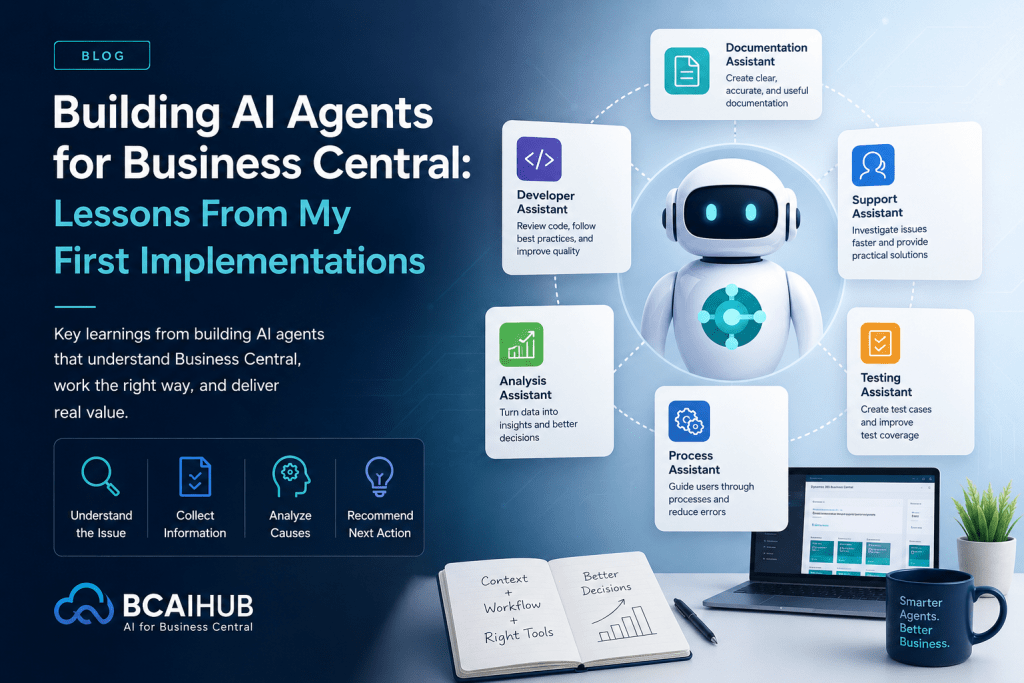
One of the most important lessons I learned while building AI agents was that a good agent needs more than just knowledge. It needs a structured workflow that guides how it approaches a problem. A good Business Central consultant does not immediately jump to a conclusion when investigating an issue. There is usually a clear process behind the analysis. First, the consultant understands the situation, then collects the relevant information, identifies possible causes, and finally recommends the right next action. I started applying the same thinking when designing AI agents.
The instructions should not only define what the agent knows. They should also guide how the agent thinks, how it investigates, and how it reaches a conclusion. This became one of the most important parts of creating reliable AI assistants.
Another important learning was that giving an agent more tools does not always make it better. Initially, it feels natural to provide every possible capability because more tools appear to give the agent more power. However, too many tools can increase complexity and make the workflow harder to control.
A documentation assistant does not need the same capabilities as a troubleshooting assistant. A developer-focused agent requires different knowledge and tools compared to an agent designed for business users. The more focused the responsibility of an agent is, the easier it becomes to improve, maintain, and trust its results.
I realized that successful AI agents are not built by giving them everything. They are built by giving them the right instructions, the right context, and only the tools required to complete their purpose.
My Biggest Learning: Building the Future of Business Central With AI
The biggest learning from my first AI implementations was that creating useful AI agents is not only about connecting an AI model with data. The real challenge is designing the complete workflow around the agent and understanding how all the pieces work together. The model provides the intelligence, but the instructions provide direction. The context helps the agent understand the situation, and the workflow determines how effectively it can support the user.
A successful AI assistant is not created by simply making AI generate responses. It is created by designing an experience where the agent understands the problem, follows the right approach, and helps users reach better outcomes.
For Business Central scenarios, this means AI should not replace the knowledge and experience of consultants or developers. The goal is to help them reduce repetitive tasks, speed up investigation, and spend more time on analysis, decision-making, and delivering value to customers.
Looking ahead, I believe Business Central will continue evolving with AI. The biggest opportunities will not come from AI that only answers questions. They will come from AI assistants that understand business processes, support decisions, and become part of the way teams work every day.
My journey of building AI tools is still continuing, and every experiment brings new learnings about how AI can be applied in practical ERP scenarios.
One thing is becoming clear, the future of Business Central is not only about smarter systems. It is about smarter ways of working.