

Now Reading: Boosting Retention: Managing Execution History in Logic Apps Standard
-
01
Boosting Retention: Managing Execution History in Logic Apps Standard
Boosting Retention: Managing Execution History in Logic Apps Standard


If you’re using Logic Apps Standard, you’ll notice that the execution history (runs) is retained for 90 days.
Having a longer retention period would be helpful for POC or demo scenarios, especially when customer responses are delayed or when you need to review historical runs.
Is there a way to extend the retention period beyond 90 days?
For Standard logic app workflows, you can decrease or increase the 90-day default limit, but you need to add the following settings and their values to your logic app resource or project.
How to edit from Azure Portal
- In the Azure portal, find and open your logic app.
- On the side bar menu, under settings , select ‘Environment variables’
By default, the app setting named Workflows.RuntimeConfiguration.RetentionInDays is set to keep 90 days of data.
The host setting named Runtime.FlowMaintenanceJob.RetentionCooldownInterval is set to check every 7 days for old data to delete.
If you keep the default settings, you may see data that is as old as 97 days. This happens because Azure Logic Apps deletes items older than Day X – 90 days when the cleanup job runs, and then waits 7 days before running again. As a result, some data remains for up to 97 days before the next cleanup cycle.
Run history retention is always calculated by using the run’s start time and the retention limit at the time when the run started, not the current retention limit.
Click Add and enter the Name ‘Workflows.RuntimeConfiguration.RetentionInDay’
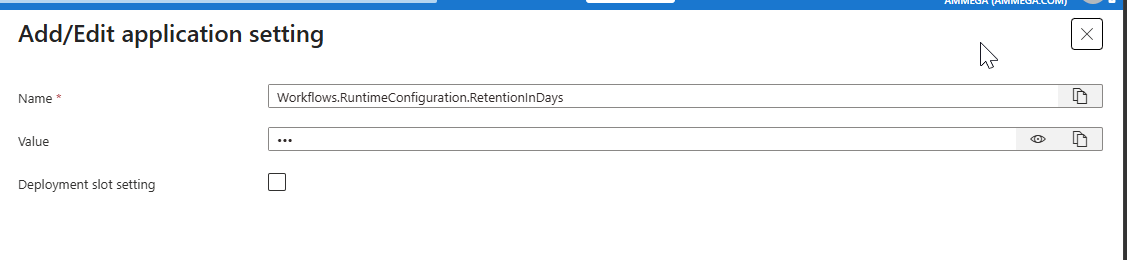
Enter the value – 7 as minimum and 365 days as maximum . Default as 90 days.
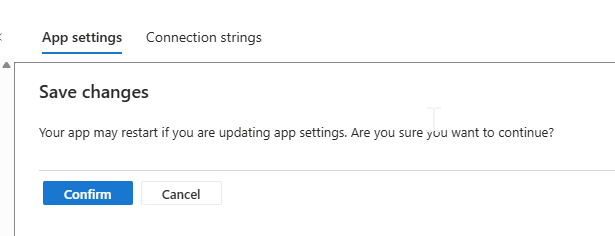
Hit apply and confirm for restarting the site if requried.
The above setting is applicable for all the workflows in the Logic apps. If you need to apply the Retention only for some workflows , use the below variable
Workflows.<workflowName>.RuntimeConfiguration.RetentionInDays
For instace, if there 3 workflows in your logic apps and the retention period should be applicable only to one workflow , then the variable will have
Workflows.AE_Demo_DocumentExport_Test.RuntimeConfiguration.RetentionInDays
Original Post https://anithasantosh.wordpress.com/2026/06/01/boosting-retention-managing-execution-history-in-logic-apps-standard/


