


[ad_1]

Recently, my colleague was asked to Enable the managed Environment feature for one of the Dataverse Environment from the Power Platform admin center (PPAC) and when he navigated to PPAC, he could not be able to see the “Enable Managed Environments” button for the selected Environment.

Followed the below steps and resolved the issue.
Step 1: Click on the below link to Microsoft 365 admin center and provide your credentials.

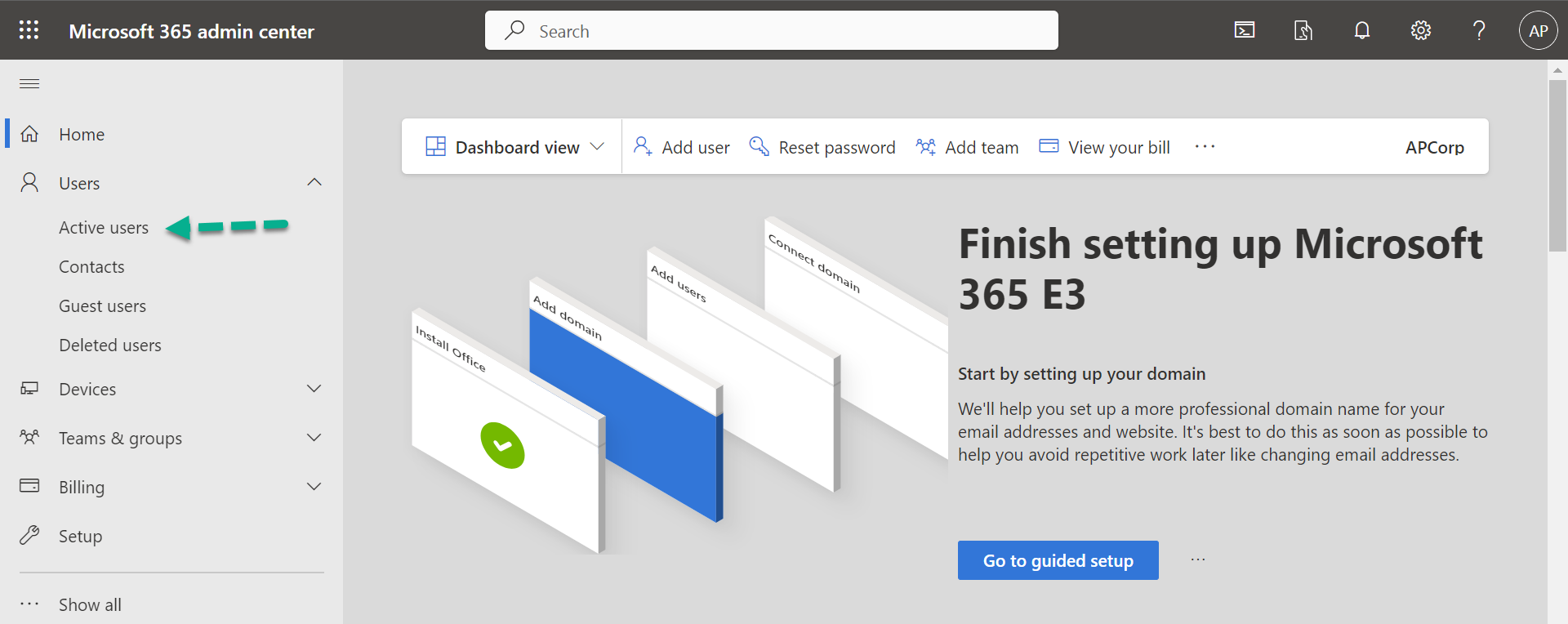
Step 2: Click on Users.

Step 3: Click on Active users.
Step 4: Click on the required user.

Step 5: Click on the Manage roles.

Step 6: Click on Admin center access.

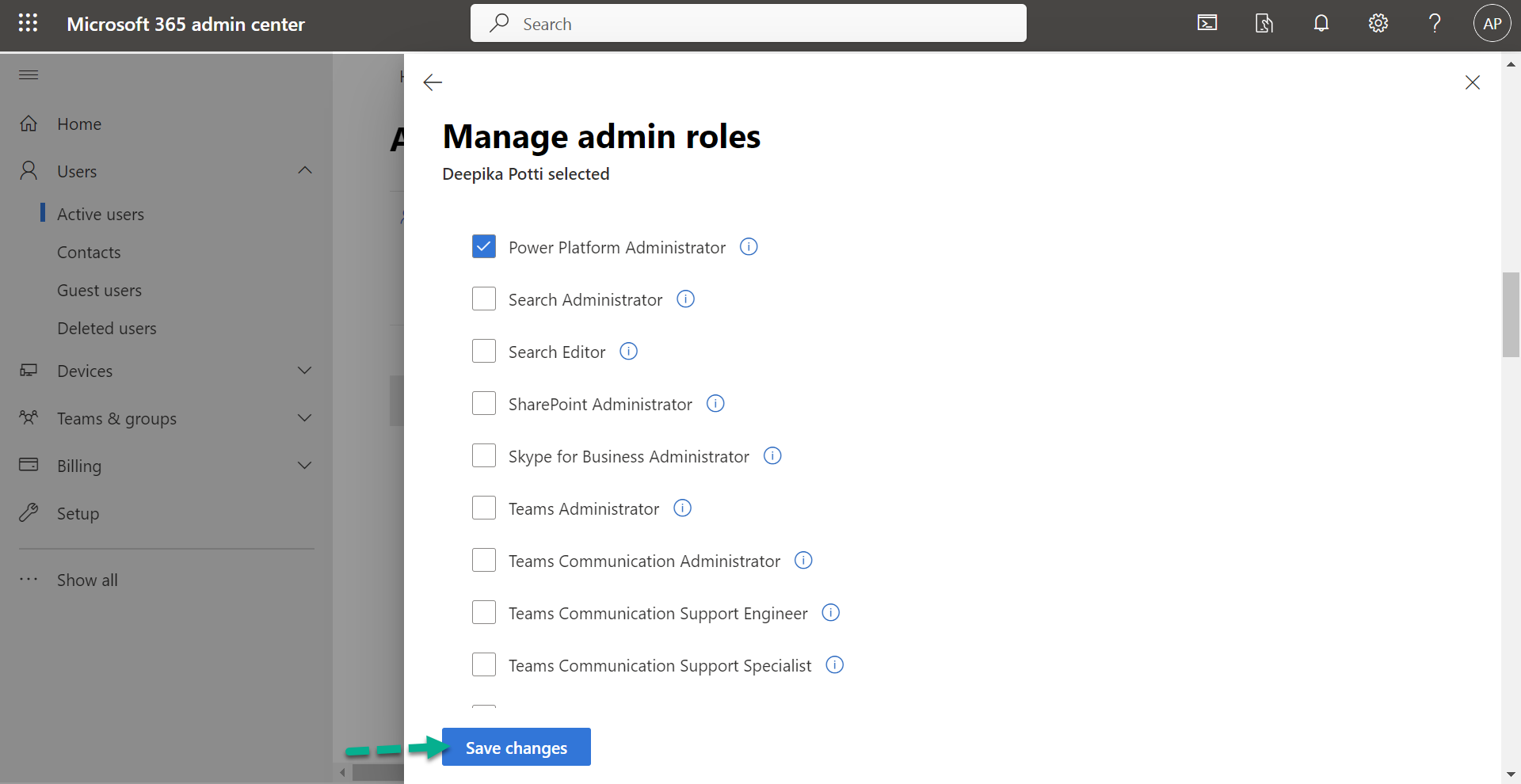
Step 7: You should have at least Global Administrator or Power Platform Administrator or Dynamics 365 admin Microsoft Entra ID.
For this article, I am selecting Power Platform Administrator role.


Step 8: Click on Save changes.
This will take some time to reflect the roles, and you can see…
[ad_2]
Source link