

After the database restore, we might face the following error ‘The formal parameter was not declared as an OUTPUT parameter, but the actual parameter passed in the requested output’
Given below one error where it says something about ‘getNumInternalWithNoBlocking’

Few more similat error from different forms
During Production order estimation but a different paramter was mentioned. – WHSInventReserveMinValuesForDimId / dbo.WHSInventReserveMinValuesForDimIdWithDelta

The formal parameter "@considerAssignmentCount" was not declared as an OUTPUT parameter,but the actual parameter passed in requested output.
This is not an issue with database sync. The issue is in the Stored Procedure.
Solution is simple
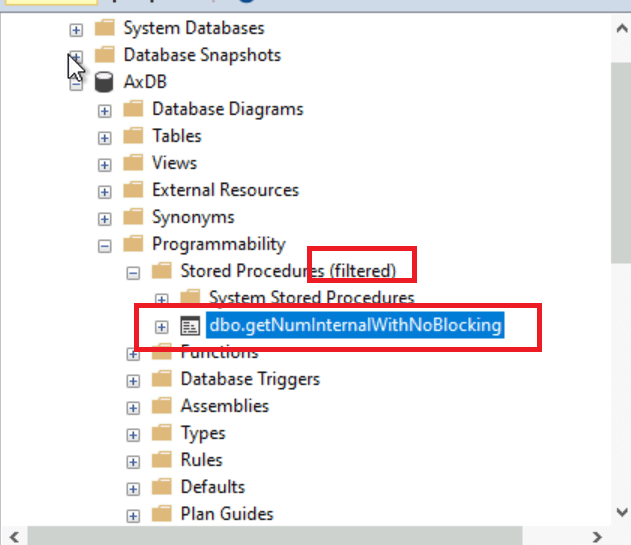
Go to SSMS and Navigate to Stored Procedure

Right click on the Stored Procedure and

Enter the name of the Stored Procedure in the Filter setting

Hit Ok.
The filtered SP will be displayed.

Delete the SP

Do not worry.
Copy the same Stored Procedure from another VM .
Follow the above steps to filter the SP name in another VM and copy the SP contents.
Coming back to your VM where the SP is deleted-
After deleting, Create a new Stored Procedure.

Paste the copied contents

Hit Execute .
Reset IIS .
The error will not appear again .