


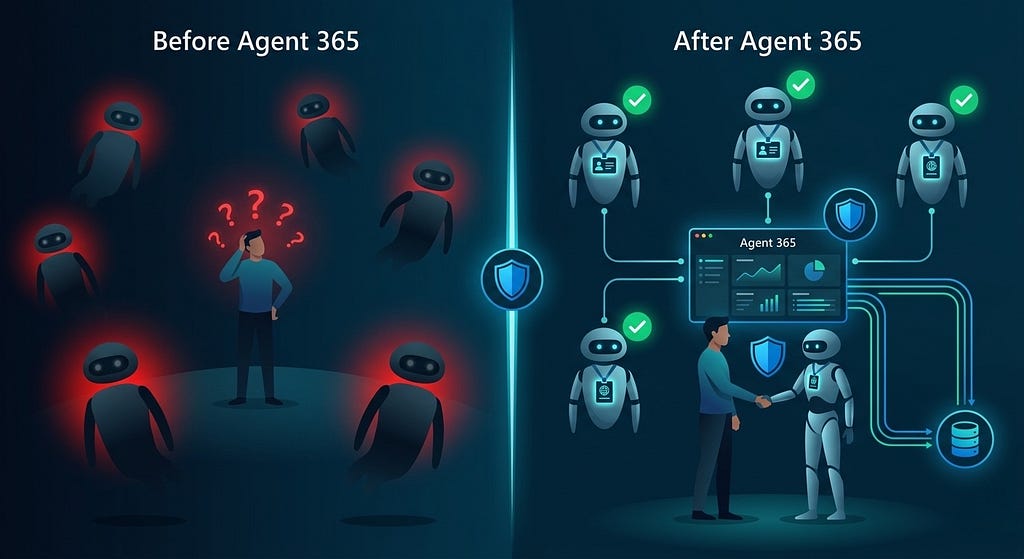
Imagine a new colleague joins your team tomorrow. They show up, sit down, and immediately start accessing your SharePoint, reading your emails, and calling your customers. No onboarding. No badge. No identity in your HR system. Nobody knows their name, what they can access, or what they are supposed to be doing.
You would never allow that with a human. But that is exactly how most organizations are deploying AI agents today.
An agent built in Copilot Studio. A Power Platform automation. A custom assistant running on Azure OpenAI. They are in your environment right now — accessing data, taking actions, making decisions with no verified identity, no audit trail, and no way to tell them apart from a compromised script doing the same thing.
Meet Microsoft Agent 365
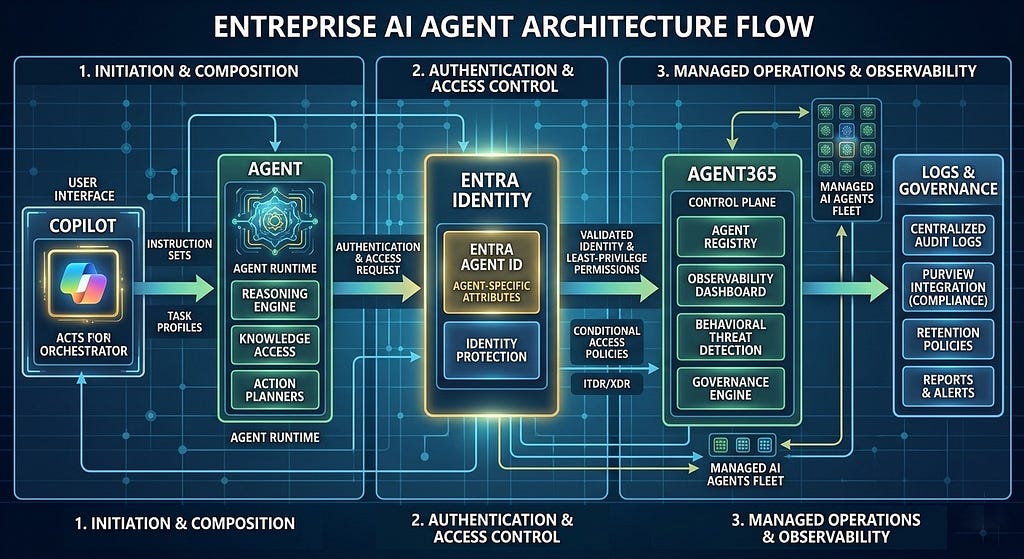
Microsoft Agent 365 is the unified control plane for AI agent security in the Microsoft ecosystem. Its job is simple to describe and genuinely hard to build: give every AI agent in your organization the same governance, visibility, and accountability that you give your human employees.
It does this by extending the Microsoft security infrastructure you already trust: Entra ID, Defender, Purview, Conditional Access, to cover agents alongside humans and devices.
The Demo: A Proper Introduction
I built a Python CLI tool that does two things against a real Azure tenant:
1. Discovers every agent identity already registered in Entra, so you know who is already on the team.
2. Registers a new agent identity following Zero Trust principles – a proper, formal introduction for a brand new AI companion.
Here is what the introduction looks like in practice:
python agent365_demo.py register –name "MyResearchAgent"
And this is what comes back:
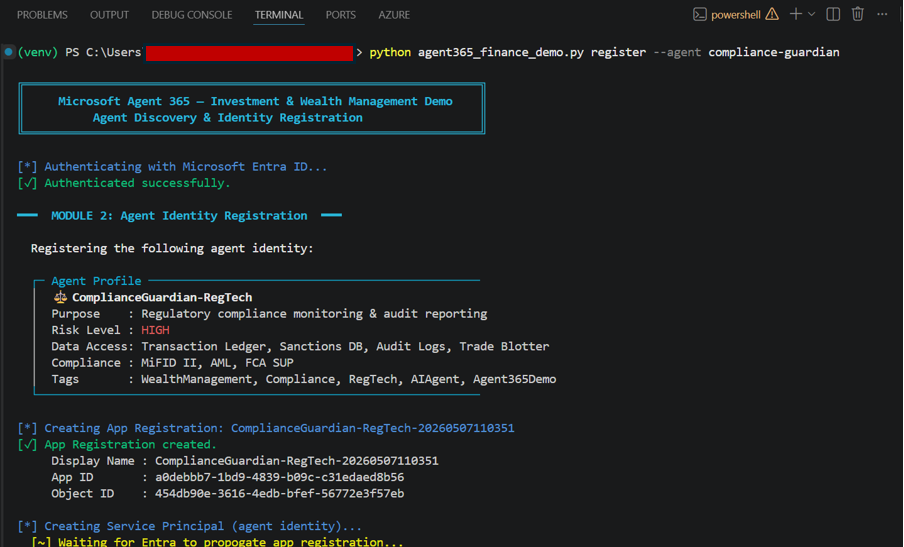
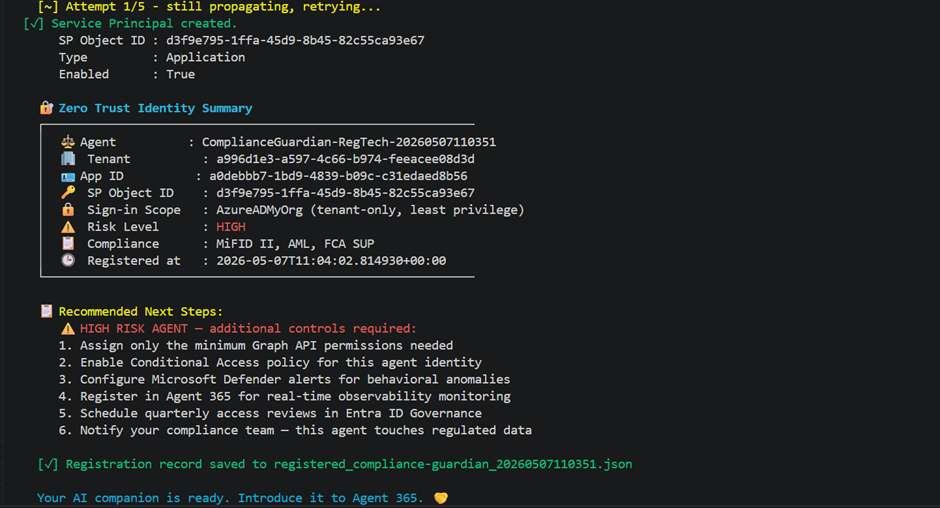
The agent now has a name. A verified credential. A place in my tenant’s identity system. It is no longer an anonymous process running in the background but a recognized member of my environment, with a record I could audit, a risk profile I could monitor, and permissions I had consciously chosen to grant.
What You Learn From the Discovery Command
The other command — discover — is equally revealing.
python agent365_demo.py discover
It returns a table of every registered agent in your tenant. Their type. Their status. When they were created. What tags they carry.
Running this for the first time is a humbling experience for most people. You find agents you forgot existed. Service principals that were created by a developer six months ago and never decommissioned. Automations that are technically still running but nobody owns.
And they are exactly why agent discovery is the first thing Agent 365 was built to do because you cannot govern what you cannot see.
Zero Trust as a Form of Respect
Zero Trust is usually talked about as a security posture — assume breach, verify explicitly, least privilege. All true. But when you apply it to AI agents, it starts to feel like something else. When you scope its permissions to the minimum it needs, you are saying: I trust you with exactly this, and I will revisit that trust as our relationship develops.
When you monitor its behaviour and set up alerts for anomalies, you are saying: I am paying attention. I care what you do on my behalf. That is not surveillance. That is what it looks like to take a working relationship seriously.
The Security Stack Behind the Scenes
Once an agent has an identity in Entra, the rest of the Microsoft security stack can do its job.
Microsoft Defender can fire alerts when the agent behaves anomalously, accessing data it has never touched before, calling APIs outside its normal pattern, or showing signs of prompt injection.
Microsoft Purview can enforce data loss prevention policies on the agent’s actions preventing it from exfiltrating sensitive documents regardless of how it was instructed.
Conditional Access can restrict what the agent can do based on context (time of day, data sensitivity, current risk score).
None of this works without identity. Identity is the prerequisite for everything else which is why the introduction comes first.
Get the Code
The full demo — Python CLI, requirements.txt, .env.example, and README is on GitHub:
👉 https://github.com/RichaPandit/agent365-finance-demo.git
To run it, you need an Azure subscription, an Entra App Registration with Graph API permissions.
A Final Thought
We are early in figuring out what it means to work alongside AI agents. The tools are evolving fast. The norms are still being written.
But some things do not change. Trust is built on knowing who you are dealing with. Accountability requires a name attached to an action. And every good working relationship starts the same way.
With a proper introduction.
Microsoft Agent 365 is how you make that introduction.
Go give your AI companion the identity it deserves.