
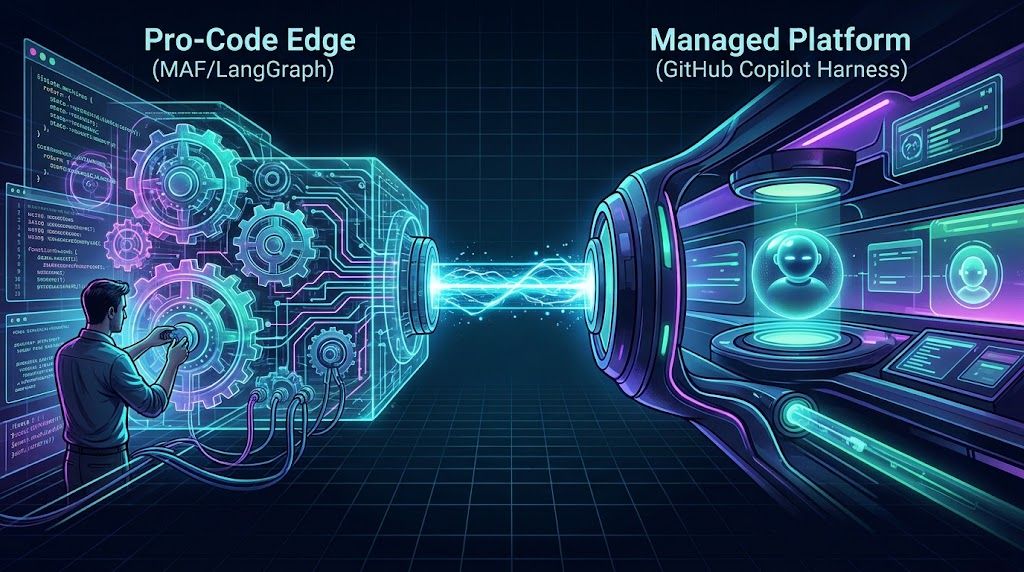
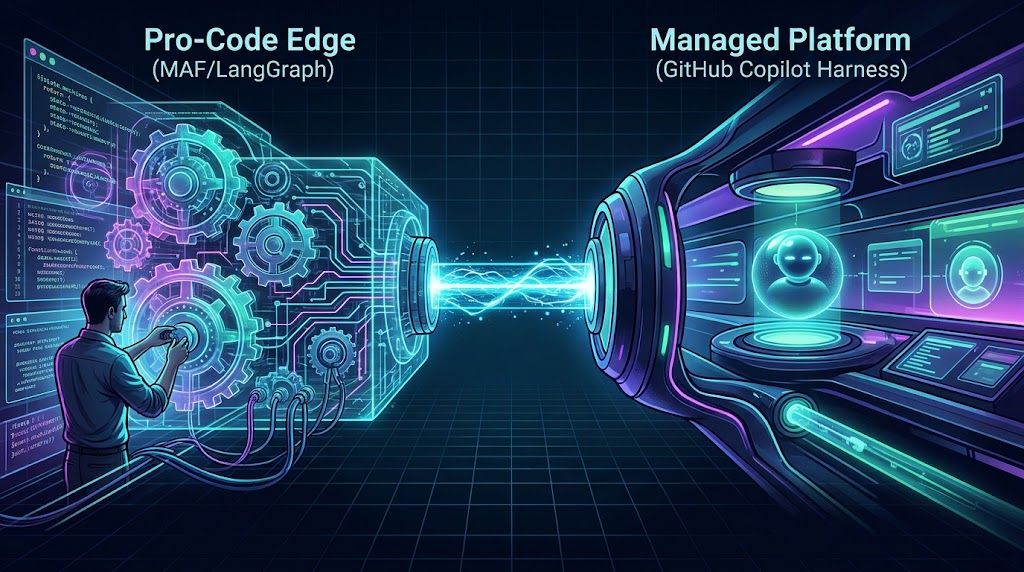
From Python Agents to Copilot Harness : Putting Microsoft Foundry to the Test

 Microsoft
Nov 09, 2026
You have built the agents. Written the Python. Connected the data. Worked out how the pieces talk to each other. Then the conversation shifts to harnesses.
The prospect of convergence around the GitHub Copilot harness across GitHub, Microsoft Foundry and Copilot Studio (CPS) raises a very practical question:
What happens to the pro-code agents I already built? Do I rewrite them, wrap them, or keep them?
Rather than debate it in the abstract, I wanted to give it a shot. I already had a Microsoft Agent Framework (MAF) demo with Python agents, Fabric sales data and product knowledge. Could I keep the useful business workflows, remove the custom agent wrappers, and let a managed harness do more of the work?
That experiment became the demo behind this blog. Not another empty chat box, but an app to ask business questions, inspect actual tool activity, follow the evidence and create a brief you can revise and download.
This is a practical Foundry experiment and the question I wanted to answer was: how much of this particular agent application can move into the harness, and what still belongs in my code?
TL;DR: I moved a Python/MAF research demo to a Foundry-managed Copilot harness to test whether it could handle the same business questions. Native research and source connections reduced the agent-side orchestration I had to write, while the app still owns authentication, streaming and secure access. Downloadable briefs are an extra experiment, not part of the original migration. Focused tests were promising, but do not establish complete feature parity or production readiness.
The Starting Point: Pro-Code Agents
The starting point is olivierb123/microsoftiq-lead-agent-demo. It used four hosted Agent Framework wrappers and application-controlled fan-out. Python agent code and custom source adapters handled the integrations; the application determined which agents to call and assembled their results.
That approach makes the orchestration explicit. It also puts the responsibility for hosting the wrappers, maintaining source adapters and coordinating the workflow in the application.
For this experiment with harness, I kept the business scenario but changed the execution model. Instead of recreating those wrappers inside another service, I configured one Foundry-managed Microsoft Copilot harness agent with instructions, native capabilities and connected sources.
| Responsibility | Pro-Code Demo | Harness Experiment |
|---|---|---|
| Workflow orchestration | Application-controlled agent calls | Managed agent selects tools and can delegate |
| Research | Hosted wrappers and custom adapters | Native web search and page fetching |
| Business data | Application source integration | Native Fabric connection |
| Product knowledge | Application retrieval integration | Foundry IQ knowledge-base retrieval through native MCP |
| Working output | Application-managed result assembly | Conversation workspace and published artifacts |
| Application code | UI plus agent orchestration | UI, authentication, streaming and session/download authorization |
This repository contains the migrated implementation. The original pro-code demo remains separate and was not overwritten.
A Practical Question, Not a Tool Demonstration
The scenario is a fictional sales team working with FieldForge product documentation. A useful assistant should help answer questions such as:
How many opportunities are open in the expanded synthetic demo, what is their total and probability-weighted value, and how do our internal forecasting definitions explain those numbers?
That request needs two different kinds of evidence: structured opportunity data and the actual internal document defining the forecast. It should not require the user to name a connector or prescribe a tool sequence.
A more advanced request asks for a South territory brief combining sales performance, priority opportunities, product capabilities and official construction heat-exposure guidance. The user can then request a revision or a downloadable Markdown artifact in the same conversation.
These examples exercise the harness as a working environment, not just a text-generation endpoint. However, they are requests to explore, not promises that every tool or subagent will run on every turn.
Why a Local Web App?
I deliberately kept the test experience in a local web app. I wanted to make it easy to ask a question, try a follow-up and inspect what happened, without turning the experiment into a web-hosting project first.
The React workbench and Node.js backend run locally; the agent and connected sources run in the cloud. After signing in, I can choose a sample question, watch the streamed response, inspect Activity and Evidence, and request a revision or download in the same conversation. I do not need to reconstruct a raw SDK response to see whether a source was actually called.
That separation also makes the migration easier to understand. The web app is the test surface, not the agent runtime. There is no local Python agent server hiding behind it: the backend sends the request to Foundry and handles the application’s authentication, streaming and session-owned downloads.
For this first experiment, the backend is intentionally loopback-only. Hosting the application publicly is a separate engineering task, not a prerequisite for testing the harness against a useful scenario.
The Architecture
The configured agent uses microsoft_copilot_preview and gpt-5-mini. The agent definition lives in harness/azure.yaml, rather than a Python agent server.
The application, backend and data scripts use JavaScript/Node.js. There is no Python application runtime, pip setup or virtual environment required for this version. That is not a zero-code migration: the application still owns sign-in, token validation, streaming, conversation ownership and secure downloads.
The backend does not execute the native source calls a second time. Foundry executes them; the application observes their returned results and presents them in Activity and Evidence.
What It Looks Like in the Foundry Portal
The local workbench is only one view of the experiment. Foundry also supports hosted pro-code agents: I can package custom agent code, including a Python/MAF implementation, and its dependencies in a container and let Foundry manage the hosting. I still own the agent implementation and its orchestration; using Python does not mean I must run the server myself.
This experiment instead uses a managed-harness prompt agent. I configure its instructions, capabilities and source connections, while Foundry supplies the harness execution environment and native tool orchestration. Both approaches can run in Foundry. The distinction is not simply local versus cloud, or Python versus no Python: it is how much agent runtime and orchestration I implement versus delegate to the managed harness. The application’s UI, authentication and session/download authorization remain my responsibility in this demo.
My microsoftiq-copilot agent and its configured tools/connections make the change tangible. The configuration ties together the native harness capabilities, Fabric access and product-knowledge retrieval shown in the architecture diagram.
Instructions and native capabilities replace the application’s hosted agent wrappers.
No Web IQ Wrapper in This Version
The Web IQ integration from the earlier demo is not carried forward. External research uses the harness’s native web search to discover sources and its Web capability to read relevant pages.
This supports the research portion of the scenario without maintaining a separate Web IQ agent wrapper. It is not a claim that native web research reproduces every Web IQ behavior or data contract.
Fabric and product knowledge are optional grounding sources, not stages that every question must pass through. A public-research question can stay a public-research question. Private business data must not be sent to public web tools.
More Direct Integration with Fabric and Foundry IQ
For me, the integration improvement is the ownership boundary: the harness uses configured native connections instead of calling application adapters that obtain credentials and query sources themselves.
Fabric supplies structured business facts. The native Fabric connection uses the signed-in user’s context to access a dedicated data agent over imported semantic models. There is no app-only Fabric credential fallback. The models contain demonstration data, not live CRM records.
Foundry IQ supplies document evidence. The product-knowledge MCP connection reaches a knowledge base backed by Azure AI Search. Query planning and semantic retrieval return extractive evidence, including stored document metadata, for the harness to use in its answer. This connection uses the Foundry project’s managed identity; it does not establish per-user document ACL enforcement.
The distinction matters. A supportingDocId in an opportunity row is a relationship reference, not proof that the corresponding document has been retrieved. Fabric cannot substitute for document content, titles or update dates from the knowledge base.
Calling this integration “better” means more direct native integration with clearer source responsibilities. I have not established a quality, latency or cost improvement over the MAF implementation, nor certified genuinely different-user authorization.
What the Experiment Actually Showed
Focused tests showed that the harness could retrieve sales figures, find internal documents, research the web and continue a conversation. That supported the core research workflows we wanted to carry over from the MAF demo.
The most revealing test asked for sales figures together with the internal document explaining how the forecast should be interpreted. Some early runs got the numbers right but did not retrieve the requested document. The answer sounded convincing, but part of its explanation lacked verified support.
After clarifying the agent’s instructions and which source should answer each part of the question, one test run successfully retrieved evidence from both sources. This used synthetic demo data, not live customer information.
The lesson: connecting the tools is only the start. You still need to test whether the agent uses the right sources and whether those sources actually support its answer.
Beyond the Migration: Trying Workspace Files and Briefs
Once the core question-answering workflows were working in focused tests, I wanted to try something we had not implemented in the MAF demo: turning an answer into a working document.
Why save a brief? Not every answer needs one. But a territory review is a useful example: instead of leaving the analysis in a chat response, I can request a Markdown document to keep, review or hand off, then ask for a revision in the same conversation. The file is an optional deliverable, not a prerequisite for retrieving sales data or product evidence.
This is where the harness’s conversation workspace and native file capabilities become interesting. I can explore creating, reading back and revising an artifact in the managed environment without rebuilding those agent-side tools in a Python wrapper. MAF could support the same kind of workflow with appropriate tools and code; this is an additional capability in this demo, not something exclusive to a harness.
Publication adds a separate step when the user actually wants a download. A workspace file is not automatically downloadable: the workbench registers it only after a successful native upload returns a real file ID, and only the owning unexpired session can download it. The application still implements those access checks.
The migration question is therefore “can I keep answering the useful business questions?” The extension question is “what else can I build on the harness’s native capabilities?” Briefs help explore the second question. Actual tool results, not assistant narration, establish whether creation, revision or publication occurred.
There are still operational boundaries. The app is loopback-only, the harness is a public preview, inference and retrieval incur costs, and workspace state is not durable application storage. Refreshing the browser or restarting the backend loses local session mappings. Production hosting, retention and broader authorization need separate work. Shell and external business-system writes remain disabled.
The Takeaway
So, what happened to my Python agents? For this scenario, their hosted wrappers were no longer needed. The business questions stayed; their execution moved into a managed harness, and the remaining application code focused on the experience and its security boundaries.
For this practical research scenario, that shifts the work from maintaining Python wrappers and fixed fan-out toward configuring the agent, defining source responsibilities, building the user experience and verifying evidence. Fabric and Foundry IQ fit into that environment directly, while native web research replaces the earlier Web IQ path for the tasks explored here.
When I Would Still Use MAF
Deterministic Routing and Local Hybrid Execution: MAF allows you to deploy hybrid topologies where small, local models (like MAI-Decision / Jev) handle rapid, deterministic triage and tool-gating, reserving expensive cloud-hosted frontier models for complex reasoning. A managed harness forces all routing into its proprietary cloud runtime, stripping away your ability to optimize latency and compute token economics.
Absolute Control over the Orchestration Loop: The Copilot Harness uses an abstracted reasoning engine to decide when to activate a skill or invoke a tool.
Native Toolchain Continuity and Hosting: MAF agents operate as standard C# or Python applications.
Granular State and Semantic Memory: Managed harnesses provide a generalized shared memory layer. MAF allows you to build custom memory providers (like custom Azure SQL or Cosmos DB schemas)
Unrestricted Interoperability Mechanics: While the Copilot Harness can consume Agent-to-Agent (A2A) protocols and Model Context Protocol (MCP) servers, building the actual server logic in MAF gives you the power to manipulate the raw protocol mechanics. If you need to manage custom message headers, inject highly specific tokens for platforms like SAP or ServiceNow, or alter payload structures mid-flight, MAF provides the unabstracted access required to do so.
For this demo, the harness was a useful way to move beyond fixed fan-out and put research, connected evidence and artifacts into one managed environment. For another application, keeping its MAF agents may be the better decision.
My takeaway is simple: start with a real task, move the responsibilities that fit the harness, and test the boundary instead of assuming the migration works.
What’s Next
This experiment answered one question—now I’m curious about others: How does the harness perform under sustained load? What happens when Fabric semantic models grow to production scale? Can the same approach work for agents that need to write back to business systems? If you’re exploring similar migrations, I’d be interested to hear what worked and what didn’t.
Try the Project
The code is available at olivierb123/microsoftiq-copilot-harness-demo.
Choose your path:
- Run the demo locally → Start with the README and setup checklist
- Explore the agent configuration → See harness/azure.yaml for the Foundry agent definition
- Understand the data model → Review the synthetic data documentation
- Compare with the original MAF approach → Check out the original pro-code demo
Questions or feedback? Open an issue on the repo or share your own migration experience in the comments below.
Version 1.0
Microsoft