

Skip to content

Fixed – Field Service Time Entry functionality is not available. The installed version of Project Service Automation is not compatible with the installed version of Field Service. Please upgrade Project Service Automation to use Field Service Time Entry functionality.

Recently while trying to set Bookable Resource Booking record’s status as completed or trying to change Settings >> General >> Field Service Settings >> Time Entry, we were getting below error
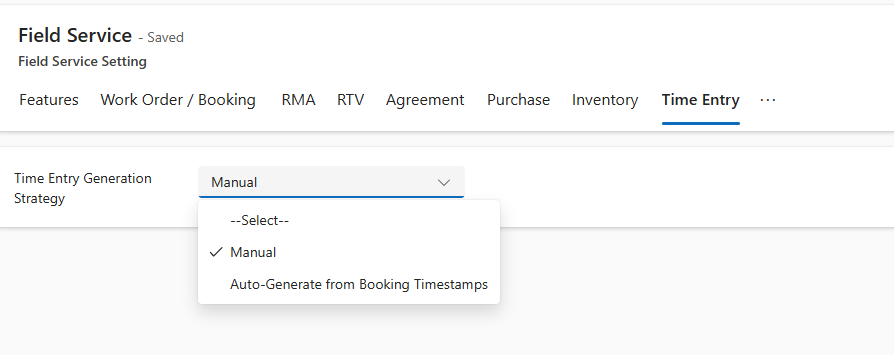
A screenshot of a computer

AI-generated content may be incorrect.

We can see the Dynamics 365 Project Service Installation Failed and on retrying the installation it was giving below error.
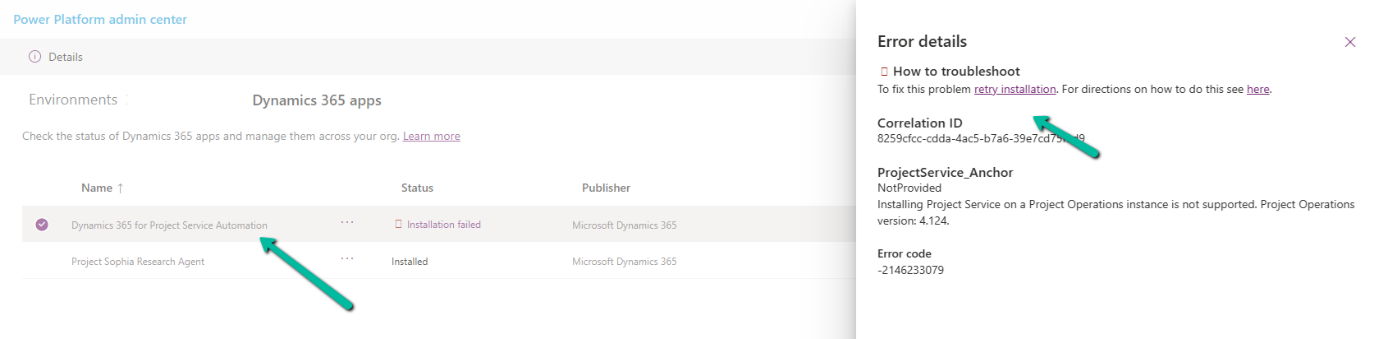
A screenshot of a computer
AI-generated content may be incorrect.

The fix that worked here was to install the Project Operations.
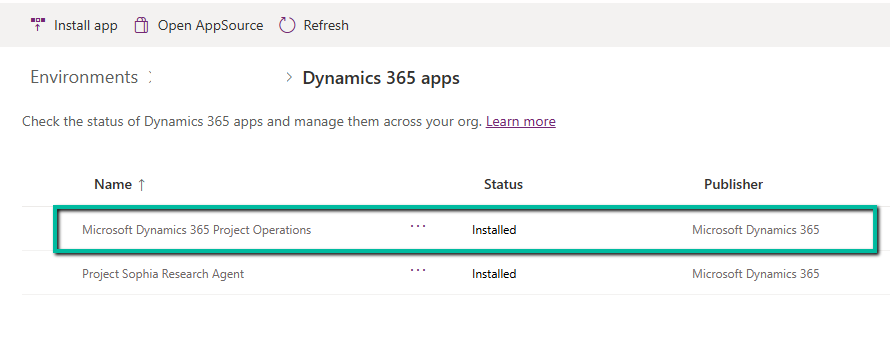
Hope it helps..

Advertisements


Discover more from Nishant Rana’s Weblog

Subscribe to get the latest posts sent to your email.

Unknown's avatar

Author: Nishant Rana

I love working in and sharing everything about Microsoft.NET technology !

Nishant Rana originally posted this article on 12 May 2025 at 8:30 PM.

Leave a Reply