

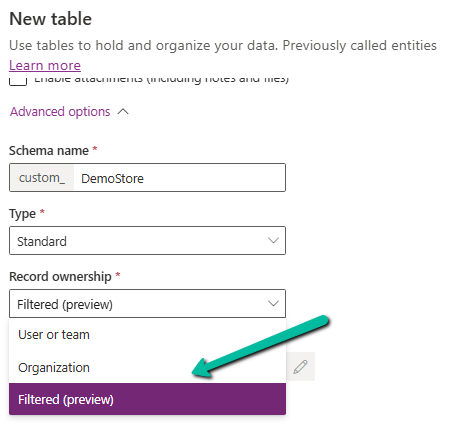
Dataverse has traditionally provided User/Team and Organization ownership. Filtered Record Ownership (Preview) introduces another approach: access can be determined by filter conditions on the data rather than by a record owner.
What is Filtered Record Ownership?
With traditional ownership, we ask: “Who owns this record?” With filtered ownership, we can ask: “Which records should this user be allowed to access?”
For example, a Store table could contain City values such as Auckland, Wellington, and Christchurch. A security filter could grant an Christchurch user access only to records where City = Christchurch.
Conceptually:
Record → Filter → Security Role → User → Access
Microsoft documents filter privileges for Create, Read, Write, Delete, Append, and Append To operations. Filtered ownership tables do not have record owners and therefore cannot use normal Assign or Share operations.
Our Example
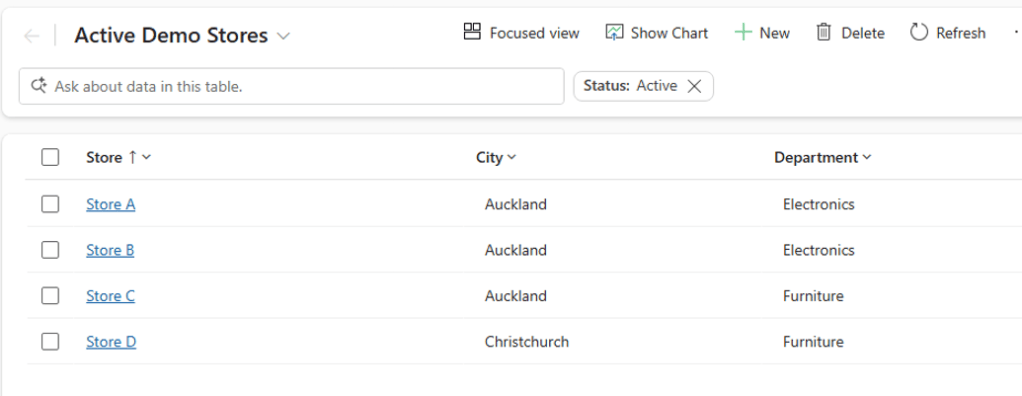
We will use a simple custom table called Demo Store (created with Record Ownership = Filtered)
Configuration Steps
1. Create the table
Go to Power Apps → Solutions → New table → Table (advanced properties). Set Record ownership to Filtered (preview), then save the table.
2. Add sample records
Create a few records with different City values. For example: Auckland, Wellington and Christchurch.
3. Create the Record Filter
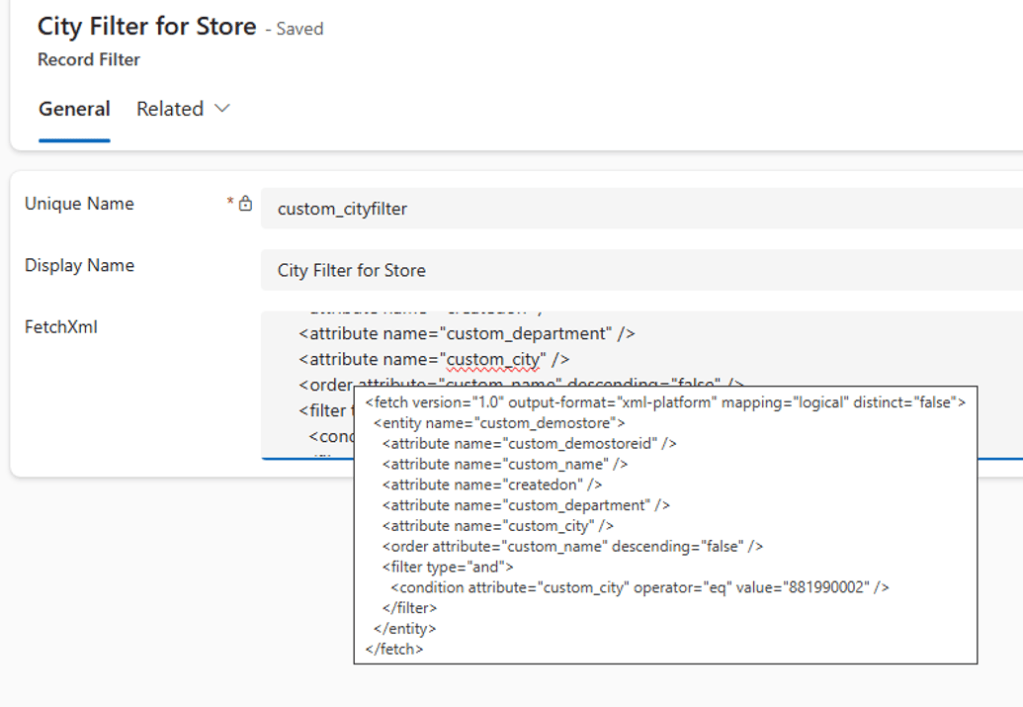
Create a Record Filter with a FetchXML condition such as City = Christchurch. The Record Filter defines which rows qualify for access. We can use Advanced Find or Fetch XML Builder to generate the FetchXML.
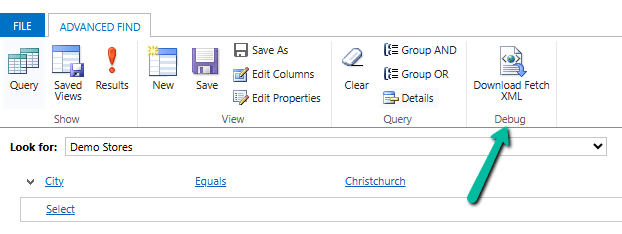
Below we have specified the filter as City = Christchurch.
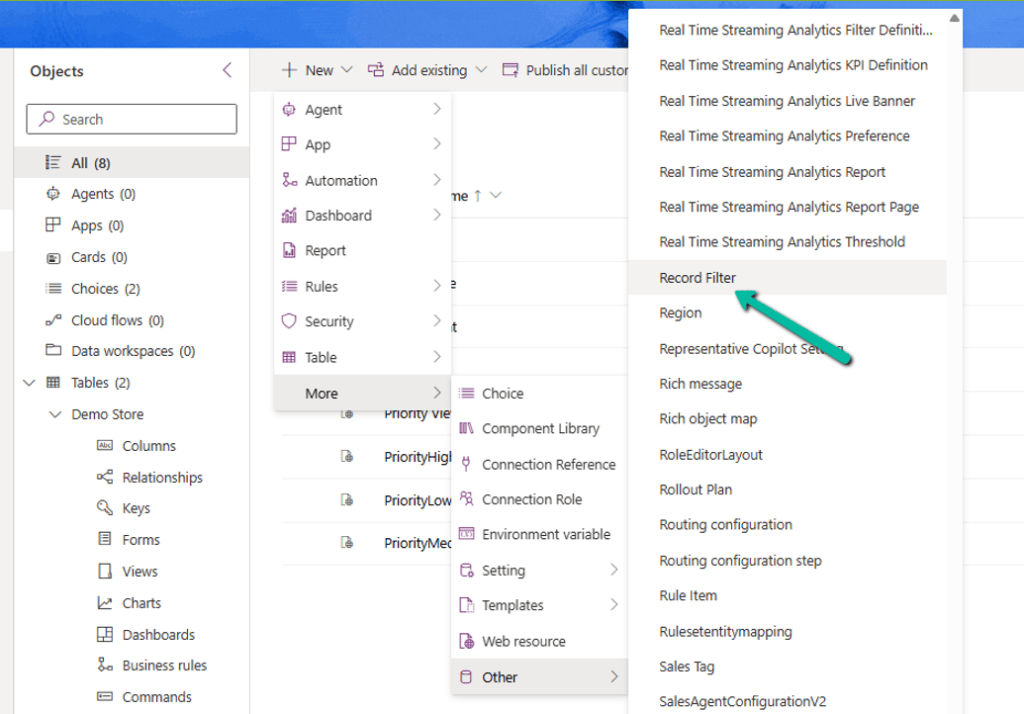
4. Create the Entity Record Filter
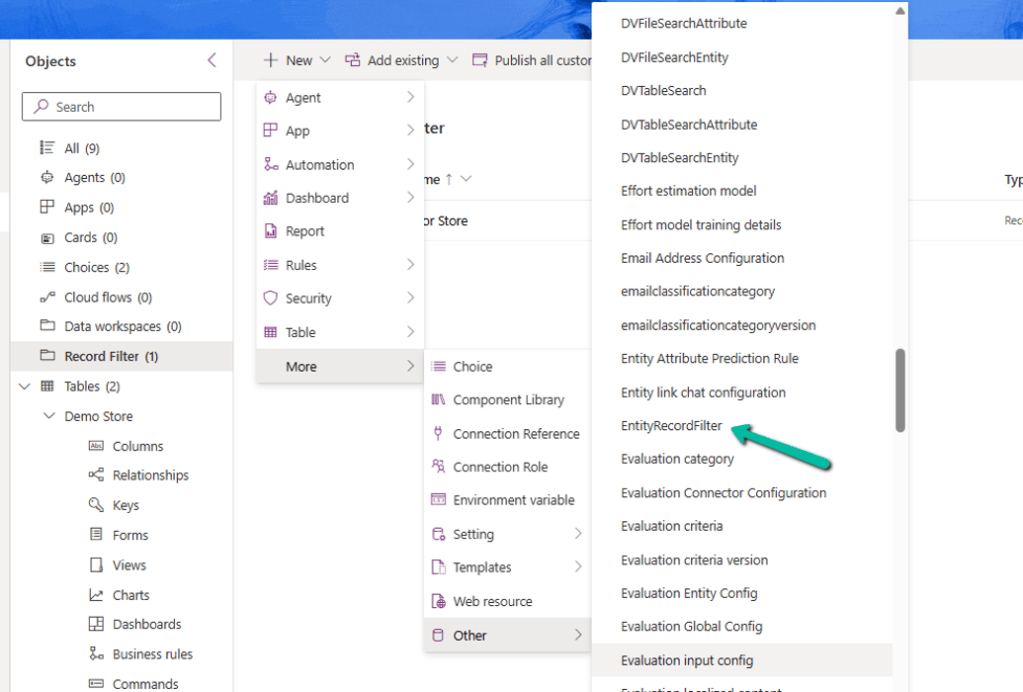
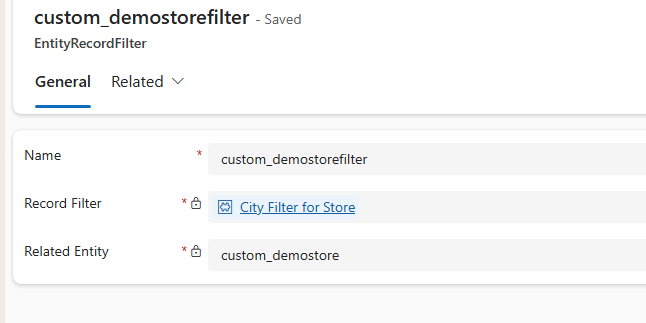
Create an EntityRecordFilter and associate the Record Filter with the Demo Store table.
5. Configure the Security Role
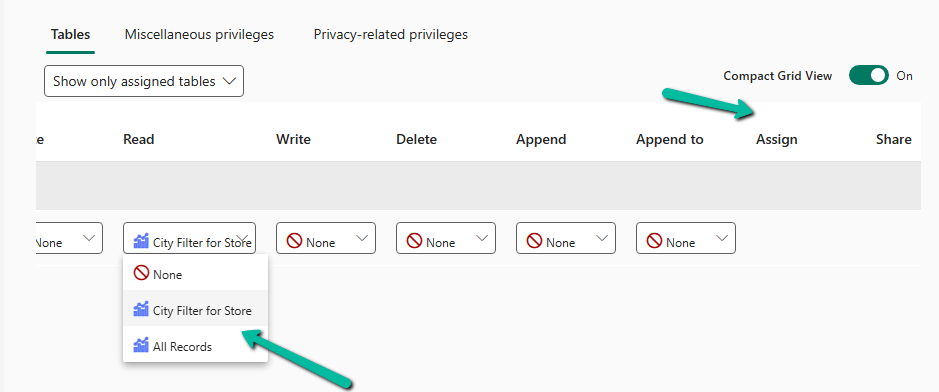
Grant the required filter privilege, such as Read, to a security role. Select the Entity Record Filter created earlier.
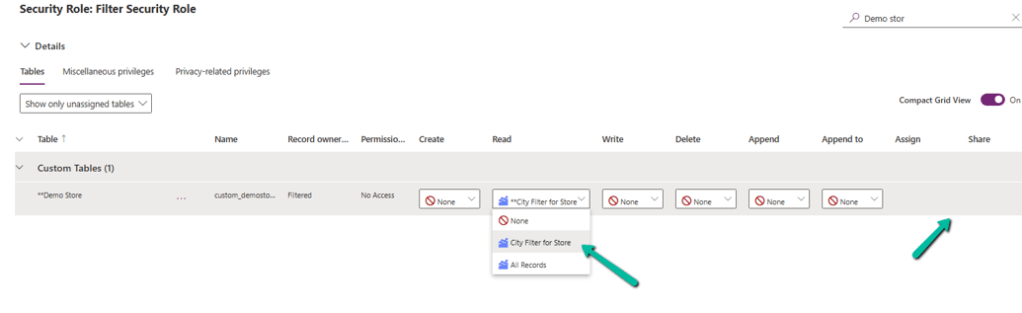
We can see our City Filer for Store along with out of the box All Records filter. Also there is no Assign and Share option as these are not user or team owned.
6. Assign the role
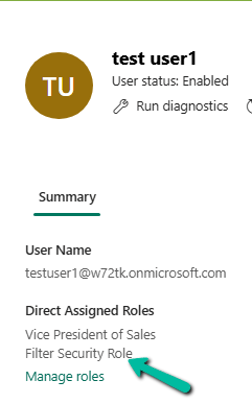
Now let us assign the Filter Security Role to the test user 1.
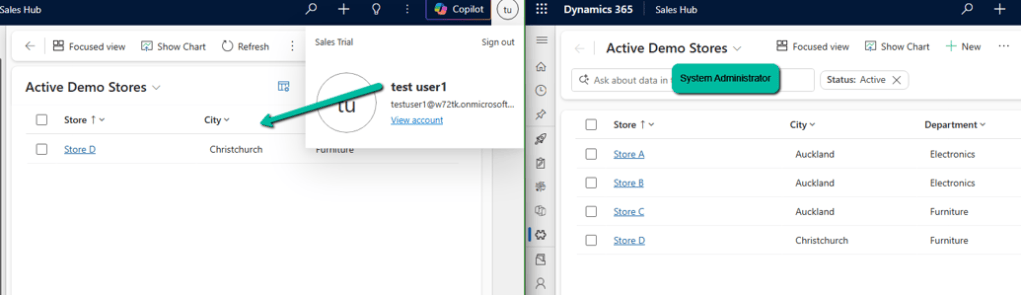
As expected, we can only have 1 record of Christchurch city showing up for the test user 1 against the System Administrator user, who can see all the records irrespective of city.
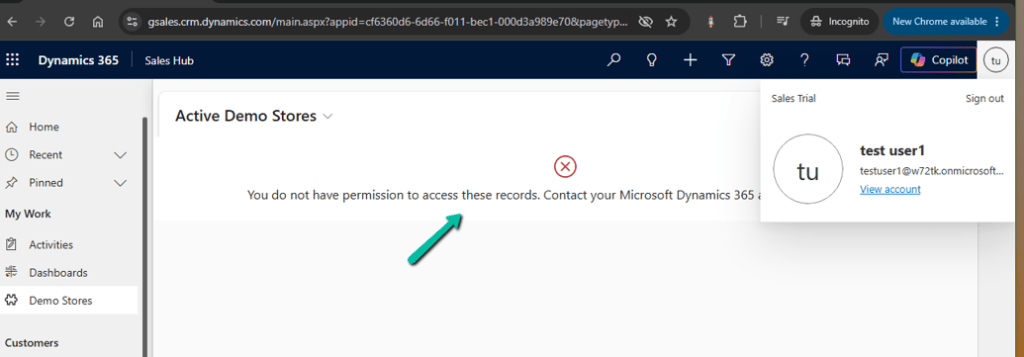
If we remove our Filter Security Role from the testu user 1, the user will get the following error message.
A Few Important Points
- There is no record owner on a filtered ownership table.
- Records cannot be assigned or shared using the traditional ownership model.
- Access is controlled through filter privileges and security roles.
- Access from multiple authorized filters is cumulative.
- The System Administrator receives the global All records filter.
- The ownership type cannot be changed after the table is created.
- Filtered Record Ownership is currently a Preview feature.
- Every query applies the filter permissions, so filter design can affect performance.
Filtered Ownership vs. Views
A view controls what records are displayed. Filter-based security controls what records the user is allowed to access.
Where Could This Be Useful?
This model is particularly interesting when access is naturally determined by attributes such as:
- Region or City
- Department
- Business Area
- Classification
- Other business attributes
Filtered Ownership vs. Existing Tables
Microsoft also supports filter-based security on existing User/Team-owned and Organization-owned tables. In those scenarios, the filters supplement the existing security model. For a Filtered Record Ownership table, filter privileges are the primary mechanism for record access.
Conclusion
Filtered Record Ownership introduces a different way of thinking about Dataverse security. Instead of building access around record ownership, access can be based on the values stored in the record.
It is not a replacement for User/Team ownership. It is another option for scenarios where records do not need an owner and access is better described by business attributes such as location, department or classification.
Because the feature is currently in Preview, it is best evaluated in a non-production environment before considering it for a real solution.
Microsoft References
- Filtered record ownership (preview):
- Add filtered view security to record ownership tables (preview)
Hope it helps..
Discover more from Nishant Rana’s Weblog
Subscribe to get the latest posts sent to your email.
