

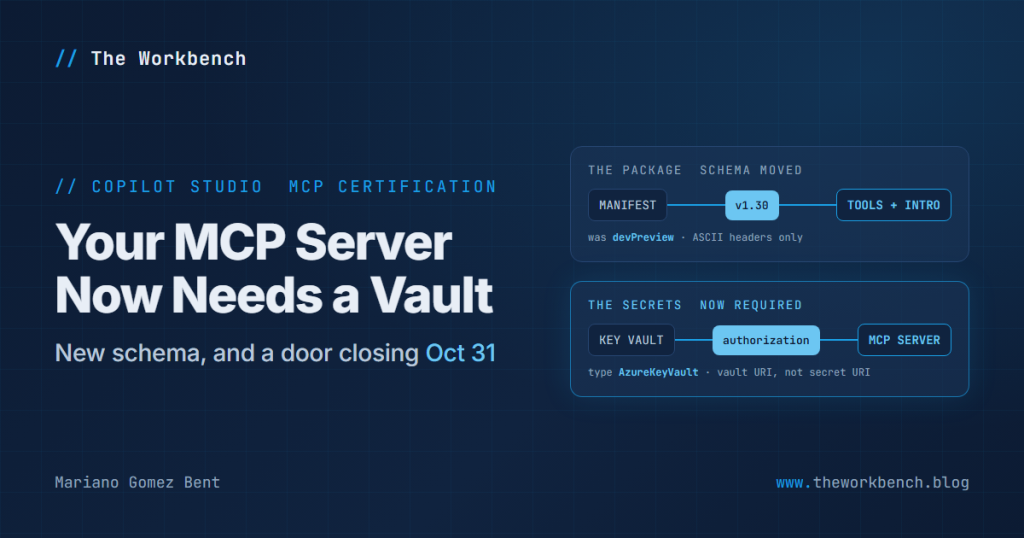
If you have an MCP server manifest sitting on your disk right now, there is a good chance it is already out of date. And you have until October 31, 2026 to do something about it.
On September 26 the Microsoft MCP server certification overview (preview) grew by a few hundred characters. Carried in that small diff: a schema version bump off the preview schema, a hard close date on the submission path you already know, and a new requirement that obliges you to stand up Azure infrastructure before you can submit anything at all. Quite a lot of consequence for a small diff!
Background
First, the vocabulary. The Model Context Protocol, almost always written MCP, is an open protocol for exposing tools and actions to an AI agent, so the agent can call your service without anyone hand building a one-off integration. An MCP server is the thing on your side that speaks it, and certification is the review Microsoft runs before yours becomes broadly discoverable.
Now, the core of the process did not change, and the article is careful to say so: verified publishers submit a package, Microsoft validates it and gets issues remediated before approval, and publishers remain responsible for the certified experience afterward. What changed is nearly everything around that core:
- The manifest example moved off the preview schema. It was
vDevPreviewwith"manifestVersion": "devPreview". It is now the v1.30 Teams schema with a plain"version": "1.30". - Submissions go through the Partner Center offer type Apps and Agents for M365 and Copilot, and the legacy path stays open only through October 31, 2026. The article blames high submission volume during preview, and warns the new path might be slower.
- Every submission now requires a manifest file, a tool file, an intro file and an Azure Key Vault authentication configuration. That last one is the requirement with real setup work behind it.
- The list of publishing surfaces grew from Azure Foundry and Copilot Studio to Azure Foundry, Cowork, Copilot chat and Copilot Studio.
- A new FAQ entry states plainly that Dynamic Client Registration is not supported today.
- If you already ship an M365 Agent containing an MCP server, you do not submit it separately. Those become standalone MCP servers automatically later this year.
NOTE: most of the byte count in that edit is prose being reflowed into bullet lists, which is exactly why a change like this is easy to skim past. The schema version and the Key Vault requirement were sitting in the middle of what looked like a formatting pass.
The Problem
Two problems, really, on different clocks. The first is the manifest on your disk right now: if you built against the preview schema, it declares manifestVersion and points at a vDevPreview URL, and the documented example no longer resembles it. The second is the Key Vault requirement, which is not a field you fill in. It is an Azure resource, precisely named secrets, a Microsoft service principal and a role assignment, all of which must exist before validation can retrieve your OAuth configuration.
Here is the manifest skeleton as the article now documents it, trimmed to the parts that carry the change:
{
  "$schema": "https://developer.microsoft.com/json-schemas/teams/v1.30/MicrosoftTeams.schema.json",
  "version": "1.30",
  "id": "<APP_ID>",
  "agentConnectors": [
    {
      "id": "<CONNECTOR_ID>",
      "displayName": "<CONNECTOR_DISPLAY_NAME>",
      "toolSource": {
        "remoteMcpServer": {
          "mcpServerUrl": "<MCP_SERVER_URL>",
          "mcpToolDescription": { "file": "mcptools.json" },
          "authorization": {
            "type": "AzureKeyVault",
            "referenceId": "https://contoso-mcp-kv.vault.azure.net/"
          }
        }
      }
    }
  ],
  "icons": { "outline": "Outline.png", "color": "Color.png" }
}
The server is declared under agentConnectors, with toolSource.remoteMcpServer holding the endpoint, so a certified MCP server is modeled as a connector rather than its own top level object. Your tool schemas sit in the separate file named by mcpToolDescription.file, here mcptools.json. And look closely at referenceId: the article says twice that this must be the Key Vault URI and not a secret URI, which tells you how often it arrives wrong. One more that bites quietly, Microsoft supports ASCII header names and values only in the manifest and tool files.
Why It Matters
If you are a maker, the effect is about what you can expect to find and trust. Certification decides which MCP servers appear as vetted options, and the surface list growing to include Cowork and Copilot chat means a server certified once becomes discoverable in more places without further work by its publisher. You are not submitting anything, but you are the beneficiary of the review.
If you are a professional developer, this is a work item with a date attached. The new path is the one to target, October 31 is when the old one closes, and the Key Vault configuration touches your Azure subscription and somebody else’s change process. Read the eligibility rules first: you must be a verified publisher whose Partner Center account has completed business verification, be enrolled in the Microsoft 365 and Copilot program, and own or control the endpoint you submit.
Implementation
The article documents the Key Vault setup as a portal exercise. It is also the part most likely to go wrong, so I am going to give you the whole Azure side as a script first, and then walk the steps behind it:
1) Create an Azure Key Vault in your Azure tenant. The documentation specifies the Azure portal, so what follows is my Az PowerShell equivalent of steps 1 through 3, which you can run end to end:
# Install-Module Az -Scope CurrentUser   # if you do not already have it
Connect-AzAccount

$subscription = '<SUBSCRIPTION_ID>'
$resourceGroup = 'rg-mcp-cert'
$location = 'eastus'
$vaultName = 'contoso-mcp-kv'                             # must be globally unique
$certServiceAppId = '8e91e74f-afe9-41cd-8c3f-17a9562a74ea'  # Microsoft's certification service

Set-AzContext -Subscription $subscription | Out-Null

# Step 1: the vault itself. On Az 12.0.0 and later, RBAC authorization is the default
New-AzResourceGroup -Name $resourceGroup -Location $location -Force | Out-Null
$vault = New-AzKeyVault -Name $vaultName `
                        -ResourceGroupName $resourceGroup `
                        -Location $location

# Step 2: the secrets. These names are case sensitive and must match exactly
$secrets = [ordered]@{
    ClientId     = '<CLIENT_ID>'
    ClientSecret = '<CLIENT_SECRET>'
    TokenUrl     = 'https://login.example.com/oauth2/token'
    # AuthorizationUrl               = '...'   # required for an OAuth2 provider
    # RefreshUrl                     = '...'   # when you issue refresh tokens
    # Scopes                         = '...'   # when your provider needs scopes
    # AzureActiveDirectoryResourceId = '...'   # required for an Azure AD provider
}

foreach ($name in $secrets.Keys) {
    $secure = ConvertTo-SecureString $secrets[$name] -AsPlainText -Force
    Set-AzKeyVaultSecret -VaultName $vaultName -Name $name -SecretValue $secure | Out-Null
    Write-Host "stored $name"
}

# Step 3: Microsoft's service principal, then read access to the vault
$sp = Get-AzADServicePrincipal -ApplicationId $certServiceAppId -ErrorAction SilentlyContinue
if (-not $sp) { $sp = New-AzADServicePrincipal -ApplicationId $certServiceAppId }

New-AzRoleAssignment -ObjectId $sp.Id `
                     -RoleDefinitionName 'Key Vault Secrets User' `
                     -Scope $vault.ResourceId

# Step 4: this is the value that goes into the manifest
Write-Host "authorization.referenceId = $($vault.VaultUri)"
Two of these will cost you a submission cycle. The first is what is not in that New-AzKeyVault call. The article grants access with an RBAC role, and an RBAC role assignment does nothing on a vault running legacy access policies, so you may reach for -EnableRbacAuthorization. Do not: it was removed in Az 12.0.0, replaced by -DisableRbacAuthorization, and RBAC is now the default, which is why the call omits it. See the Az 12.0.0 migration guide. The trap that survives is reusing an existing vault built the old way, where the role assignment looks like it succeeded and grants nothing. Fix that with Update-AzKeyVault -DisableRbacAuthorization $false.
The second is that those secret names are the literal keys of the hash table on purpose: the article devotes a whole FAQ entry to confirming secret names are case sensitive and should match exactly, and ClientId is not clientid. Note too that New-AzADServicePrincipal is not creating an application of yours, it is instantiating Microsoft’s in your tenant so the role assignment has something to bind to. And the last line prints $vault.VaultUri, exactly what the manifest wants for referenceId.
2) Store the required secrets in the vault: ClientId, ClientSecret and TokenUrl. Then add the optional ones your identity provider needs. AuthorizationUrl is required for an OAuth2 provider, AzureActiveDirectoryResourceId is required for an Azure AD provider, and RefreshUrl and Scopes come into play for refresh tokens and scoped access respectively.
3) Create a service principal for the Microsoft application 8e91e74f-afe9-41cd-8c3f-17a9562a74ea, and grant it Key Vault Secrets User, or an equivalent RBAC read role, on the vault. This is what lets the certification service retrieve your OAuth configuration during validation.
4) Add the vault URI to the manifest as authorization.referenceId, exactly as shown above.
5) Go to Partner Center and proceed to create a new offer, selecting the offer type Apps and Agents for M365 and Copilot. Upload the package and supply the required commercial, legal, support and publisher information.
6) Let automated validation run against package structure, required fields, schema correctness and metadata completeness. Blocking issues must be fixed before the functional and safety review continues. Including evaluation evidence, meaning representative functional and safety test results, can help accelerate that review.
The demo, and a companion repo
So I built one, and you can clone it: github.com/dgpblogster/mcp-cert-lab. Very nearly every requirement on that page is mechanically verifiable before you ever open Partner Center, which makes a readiness checker the obvious companion piece: one PowerShell script that takes a package folder, and optionally looks at the vault behind it.
Laying it out the way I laid out project-orion-lab, the hands-on companion to my Same Agent, Two Architectures: When MCP Wins (And When It Doesn’t) session at Community Summit NA 2026, which is to say a README that carries the prerequisites and one folder per moving part:
mcp-cert-lab/
  README.md                     what each check maps to in the article
  Test-McpCertReadiness.ps1     the checker
  samples/
    good-package/               passes cleanly
      manifest.json             v1.30, vault URI, every field populated
      mcptools.json             three tools, JSON Schema inputs
      intro.md                  with a Known issues and limitations section
      Color.png  Outline.png    192x192 and 32x32
    bad-package/                eight planted defects in one file
      manifest.json             devPreview schema, secret URI, a smart quote
  tests/
    Invoke-Tests.ps1            asserts good passes AND bad is caught, by name
On the shape of that. The checker runs with no Azure connection at all unless you pass -CheckVault, which is deliberate: most of what fails a submission fails on disk. It exits 0 when nothing failed and 1 when anything did, so it works as a pipeline gate. And bad-package is not filler, it is the instrument that proves the checker still works.
Pointed at the deliberately broken package, it reports:
FAIL   Schema     $schema points at v1.30  (still on the retired vDevPreview schema)
FAIL   Schema     manifestVersion removed  (replaced by version in the v1.30 shape)
FAIL   Schema     version is 1.30  (found: 1.0.0)
FAIL   Metadata   developer.termsOfUseUrl  (placeholder left in: <TERMS_OF_USE_URL>)
FAIL   Icons      color icon on disk  (Color.png not found)
FAIL   Connector  [contoso-shopfloor] tool file on disk  (mcptools.json not found)
FAIL   Connector  [contoso-shopfloor] referenceId is a vault URI  (this is a SECRET URI, use the vault URI)
FAIL   Ascii      manifest.json ASCII only  (U+2019 at line 18 col 55)

16 passed, 9 failed, 1 warnings
Not ready to submit.
That last line is the one I care about most. U+2019 at line 18 col 55 is a curly apostrophe, the kind that arrives when somebody pastes a company name out of an email, and the article is explicit that non-ASCII characters might cause validation failures. It is invisible in every editor you are likely to be using. Finding it by line and column in half a second, rather than by elimination after a rejected submission, is the whole argument for writing the thing.
Two places where I deliberately stopped short, because a checker that overreaches is one people turn off. Icon dimensions are reported, not asserted, since the exact sizes live in Teams guidance outside this article. And the intro file is a warning rather than a failure, for the reason in the Final Notes below. Everything else is a hard pass or fail, including the vault checks, where secret names are compared case sensitively.
Final Notes
Three closing thoughts.
First, this is preview documentation and says so at the top, so the schema version, the package requirements and the surface list are all fair game to change again before general availability. The one item with a fixed date is the October 31, 2026 close of the legacy path, and that is what I would plan around.
Second, a small inconsistency worth knowing about rather than tripping over. The What’s changing table states that all submissions require a manifest file, tool file, intro.md file and Key Vault configuration, while a section further down the same page is headed Intro file (Optional). The two disagree. The safe course is to include the intro file, which you want anyway, with a Known issues and limitations section in it.
Finally, the observation I keep coming back to. Read that list of publishing surfaces once more: Azure Foundry, Cowork, Copilot chat, Copilot Studio. One certification, four destinations, with Microsoft 365 admin governance applying across them where relevant. That is the real story hiding inside a small diff. Certifying an MCP server is drifting away from being a Copilot Studio errand and toward being how a tool gets admitted to the Microsoft agent ecosystem generally, and the entry fee is a manifest, a vault and a review.
Until next post!
MG.-
Mariano Gomez Bent
Former Microsoft BizApps MVP