


Business Central 2026 release wave 1 gave administrators something they’d wanted for a long time: the ability to see exactly which indexes existed on a table, how much they cost in storage, and to turn off the ones nobody needed. It was a real step toward giving administrators direct control over database performance without opening a support ticket or waiting for a developer.
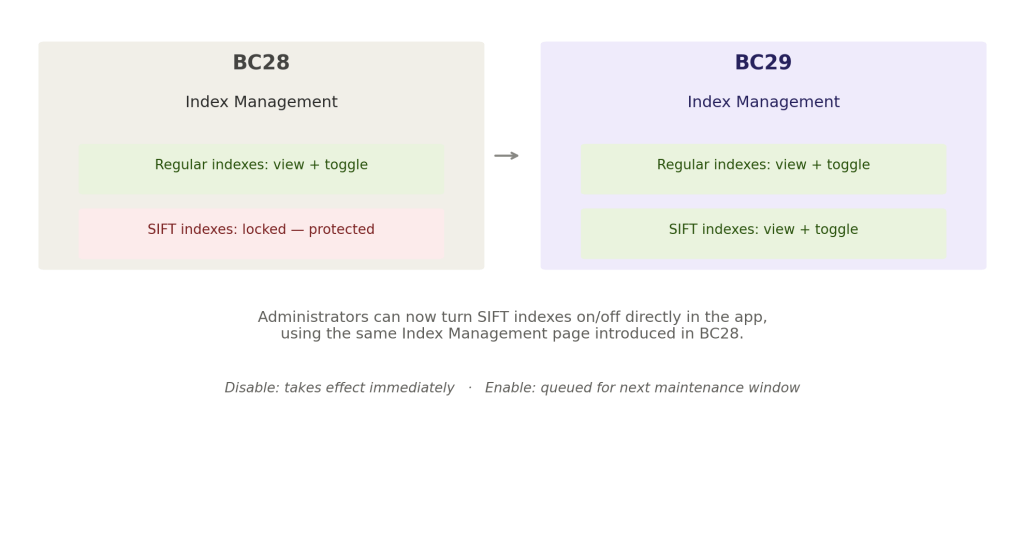
It came with an asterisk. SIFT indexes the ones powering Flow Fields and sum calculations across an entire table were explicitly protected from that control. Unique indexes, primary keys, and systemid indexes were off-limits for good structural reasons. SIFT sat in that same protected category, and for most administrators, that meant one category of performance cost stayed a black box regardless of how good the new visibility tooling was.
What BC28 Actually Gave Administrators, and Where It Stopped
The Database Index Information page, introduced in release wave 1, let administrators see per-index storage usage, SQL Server usage statistics, and whether an index was AL-defined or system-generated. For non-unique, non-protected indexes, they could simply clear a checkbox and disable one with low usage to reduce storage costs and improve write performance.
This was genuinely useful, and it addressed real problem indexes accumulate over the life of a Business Central environment, particularly across many installed extensions, and not all of them justify their ongoing cost. But SIFT indexes are often among the most expensive to maintain, because they exist specifically to keep sum calculations fast across large tables, and every insert or modification has to update them. An administrator could see that a SIFT index was expensive. They still couldn’t do anything about it directly.
What Changes in v29
Version 29 removes that specific restriction. Administrators can now turn SIFT indexes on and off directly from the same Index Management experience introduced a release earlier, without needing a developer to intervene. A new Index Type field distinguishes a regular database index from a SIFT structure directly in the UI, and the same Key Fields detail view that existed for regular indexes now applies to SIFT structures as well.
The mechanics stay consistent with what administrators already learned in the previous release. Disabling an index takes effect immediately. Re-enabling one gets queued for the next scheduled maintenance window rather than applying instantly, which gives Business Central room to rebuild the structure without doing it during active business hours.
Why This Pairs Directly With the Table Extension Changes
This isn’t an isolated administrative convenience. It connects directly to the table extension architecture change also shipping in v29, which lets developers define indexes and keys spanning both base table fields and extension fields for the first time. The moment developers gain the ability to create more cross-boundary indexes, administrators need the ability to see and manage the cost of exactly that category of index including the SIFT structures those new cross-boundary keys can generate.
Put together, this release gives developers more indexing flexibility and gives administrators more indexing control over the same underlying structures, in the same version. That’s not a coincidence. It reads as one team addressing both halves of a problem it created for itself: more powerful indexing capability paired with the governance needed to keep that capability from becoming an unmanaged cost.
Finally
A capability that looks small in a release note administrators can now toggle SIFT indexes is really the second half of a two-release story that started with BC28’s index visibility tooling. The first release let administrators see the cost. This one lets them act on the most expensive category of it.
For any Business Central environment carrying years of accumulated extensions and custom SIFT structures, that combination is worth testing directly rather than assuming from the feature description a genuinely stale SIFT index disabled today is real storage and write-performance cost recovered immediately, not a theoretical future benefit.