

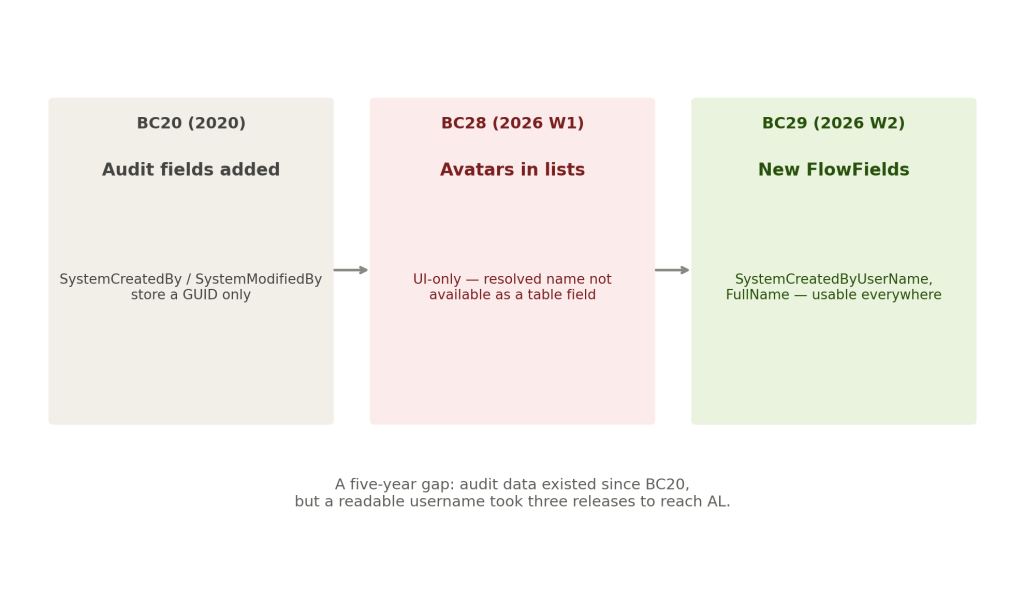

Since Business Central 2020 release wave 2, every table in the product has carried four audit fields SystemCreatedAt, SystemCreatedBy, SystemModifiedAt, and SystemModifiedBy. For years, these fields have been sitting there available to every developer, and for years, half of what they actually contained has been effectively unusable without extra work.
The real problem was never that the audit data didn’t exist. It’s that the data existed in a form nobody could read directly.
A GUID Is Not an Answer
SystemCreatedBy and SystemModifiedBy store a security ID — a GUID identifying the user who created or last touched a record. Technically complete, practically useless on a page. Drop that field onto a list and a user sees a string of characters that means nothing to them, not a name they recognize.
Translating that GUID into an actual username has always required extra work — a lookup against the user table, custom AL to resolve it, a pattern developers have documented and rebuilt independently for years because the platform never did it for them directly. Every partner who wanted a readable “created by” column solved this same problem separately, over and over, for the same underlying limitation.
BC28 Solved Half the Problem
Release wave 1 earlier this year added the ability to show avatars for record creators and modifiers directly in lists a genuinely useful UI capability that let users see who touched a record without any custom development.
But it wasn’t built as table fields. A developer could see the avatar rendering in a standard list but couldn’t reference that resolved name anywhere else not in a report, not in a filter, not in a custom page layout, not in an integration payload. The UI problem was solved. The data-access problem, for anyone building on top of it in AL, was not.
BC29 Finishes It
Version 29 adds four new system FlowFields, available on both normal and temporary tables: SystemCreatedByUserName, SystemCreatedByFullName, SystemModifiedByUserName, and SystemModifiedByFullName. These sit directly alongside the existing GUID-based fields, resolving to an actual username or full name without a developer writing a single line of lookup logic.
There are three ways to actually put them in front of a user once they exist: through the Customize Pages for Profiles feature, directly in Analysis Mode, or through standard AL customization for anyone who wants full control over layout and formatting. All three routes work off the same underlying FlowFields, so the choice comes down to how much control a given implementation needs, not which approach is technically capable.
One detail worth testing directly rather than assuming: because these are Flow Fields calculated only when visible a behavior introduced back in BC26 to control performance overhead the values won’t show up in Page Inspection the way a normal field would. That’s a real behavioral quirk worth verifying against your own environment before you build a troubleshooting workflow that assumes it’ll be there.
Finally
Five years and three release waves is a long time for a limitation this narrow to persist one that generated the exact same custom lookup logic across countless BC implementations because the platform hadn’t yet closed the gap itself.
What’s notable isn’t the individual feature. It’s the pattern: BC20 introduced the audit fields, BC28 solved the display problem for one specific UI context, and BC29 finally makes the underlying data usable everywhere else. Small, unglamorous fixes like this one rarely get a feature-list headline, but they’re often the ones that quietly remove a workaround that’s been copy-pasted across BC implementations for years.