

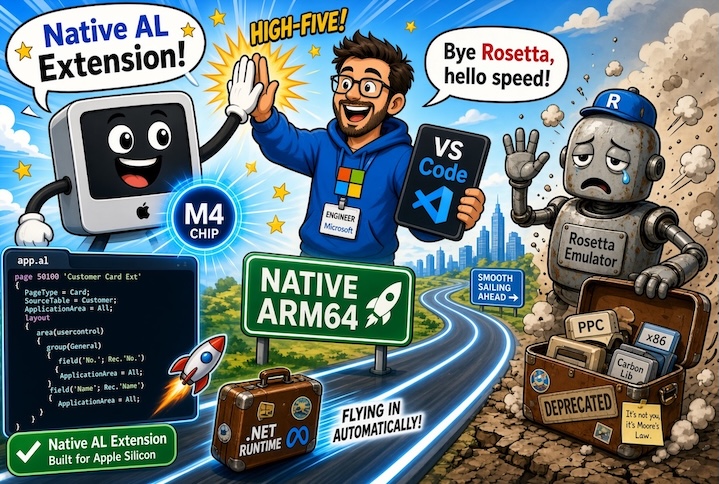
Many of you probably are using a macOS device to develop applications for Business Central (and not only them). Personally (as many of you probably know), I alternate between Windows and macOS machines in my daily work. In my company (we have over 600 employees), we use Windows devices (Intel x64), whereas for my personal activities outside the company, I switched to macOS many years ago; with Apple’s M-series processors and cross-platform .NET, I no longer even use Windows virtualization—everything runs perfectly, offering a hardware and OS combination that is currently unrivaled, along with battery life that Windows-based devices can only dream of.
If you’re a Business Central developer working on an Apple Silicon Mac (M1, M2, M3, M4, M5) and creating applications for Dynamics 365 Business Central, you might not realize that your AL extension is running in an “emulator”. That process, called Microsoft.Dynamics.Nav.EditorServices.Host, is currently x86/x64 code running through Rosetta 2 (Apple’s translation layer that converts Intel instructions to ARM instructions in real-time).

That process lives inside the AL Language extension folder that VS Code installs. Path is the following:
~/.vscode/extensions/ms-dynamics-smb.al-<version>/bin/darwin/

It works perfectly until now, but Apple has other plans for the future: following the announcement that macOS Tahoe would be the last version of the operating system that will support Intel-powered Macs, support for Rosetta 2 is planned to be mostly discontinued by late 2027. This discontinuation is going to impact a lot of people who use non-native applications in Apple Silicon Macs (like current AL Language extension).
A brief history.
In 2020, Apple released the first Macs with their own ARM-based processors (the M1 chip). This was a historic moment because the company abandoned decades of Intel compatibility to build their own silicon. This was a game changer! But this also created a problem: nearly all Mac software was built for Intel, not ARM.
That’s why Apple decided to introduce Rosetta.
Rosetta is Apple’s translation layer. It sits between your applications and the Mac’s processor, dynamically converting x86/x64 machine code into ARM64 instructions that Apple Silicon can understand. Think of it as a simultaneous translator at a conference: it reads Intel assembly, understands it, and tells your Mac’s processor what to do.
It’s been remarkably effective. Most Intel-based apps run smoothly on Apple Silicon through Rosetta, with only a small performance penalty.
How Rosetta works?
When you launch an x86/x64 application on an Apple Silicon Mac, here’s what happens:
- Detection: macOS recognizes the app’s architecture.
- Translation: Rosetta begins translating machine instructions on-the-fly.
- Execution: Your Mac’s ARM processor executes the translated instructions.
- Performance: There’s overhead, but it’s usually minimal for most tasks.
It’s invisible to the user: you just launch your app and it runs perfectly.
Why Apple is removing Rosetta?
Apple’s goal has always been clear: move the entire Mac ecosystem to native Apple Silicon. Rosetta was a transition tool, not a permanent feature.
The main reasons for this change are the following:
1. Clean Architecture: native code is always better than emulated code. It’s faster, more efficient, and gives developers full access to the hardware’s capabilities.
2. Performance: while Rosetta’s overhead is small for most tasks, it adds unnecessary latency. Native ARM64 applications run at full speed without translation overhead.
3. New capabilities: some cutting-edge Mac features and technologies are only available to native applications. Emulated code can’t take advantage of them.
4. Platform unity: Apple wants a unified ecosystem. Rosetta is a bridge and bridges are meant to be crossed, not lived on.
Apple actually gave a fairly clear timeline for this at WWDC 2025:
- macOS 27 (released fall 2026): the last macOS version with full Rosetta 2 support. Starting with recent macOS 26.x updates, users already see a warning whenever they launch an Intel-only app, flagging that it will stop working in a future release (AL extension gives this warning on MacOS!).
- macOS 28 (expected fall 2027): Rosetta 2 is largely discontinued. Apple has said it will keep a small subset of Rosetta functionality alive, but only for older, unmaintained games that rely on Intel-only frameworks, not for general-purpose developer tools like the AL extension.
So this isn’t sudden or vague: Apple has committed to a concrete cutoff, and it’s roughly a year out. Developers relying on Rosetta for daily work need to have a plan in place well before fall 2027.
What this means for Business Central developers on Mac?
If you develop Business Central extensions on an Apple Silicon Mac, you need to pay attention to this. In a near future (1 year) Rosetta will be gone and your AL extension will not work on future macOS versions. Business Central development becomes impossible on Mac without a solution.
What about Microsoft? Are there plans to fix this?
Fortunately YES! Microsoft is committed to have AL Language Extension and the AL compiler as much cross-platform as possible and they’re already working on this.
Instead of bundling the .NET runtime inside the extension package, Microsoft will:
- Release a lightweight extension: the .vsix file will be much smaller because it won’t include the runtime.
- Automatic runtime download: when the extension starts, it automatically detects your system architecture and downloads the appropriate .NET runtime (x86/x64 for Intel, ARM64 for Apple Silicon)
- Native support for both architectures: your Mac will run the native runtime for its processor, whether that’s Intel or Apple Silicon
I think that this design choice is elegant for several reasons:
- Better performance: native runtime means no emulation overhead, with full access to the processor’s capabilities, faster compilation and publishing.
- Smaller Extension Files: no bundled runtime means smaller download, faster installation and less disk space used.
- Automatic architecture detection: the extension figures out what you need, no manual configuration required.
- Future-proof: if Apple releases a new architecture in 5 years, the extension can automatically support it, no need to rebuild and redistribute the extension.
Microsoft at the moment hasn’t announced a specific release date for this change, but the reported issue is actually accepted and formally acknowledged as planned work by Microsoft.
Apple’s fall 2027 Rosetta cutoff gives a natural deadline to work against, and given that window, it’s reasonable to expect the automatic runtime acquiring change to ship well before fall 2027.
But until Microsoft posts a concrete date, that’s an expectation, not a commitment. 
Dear Microsoft AL runtime team, please give a good priority to this, the always more growing number of AL developers using MacOS will thank you… 