

Keeping on top of what is coming to Dynamics 365 and Power Platform has always been part of the job. For years that meant waiting for the April and October release wave plans, downloading the PDFs and working through them product by product. That has now changed.
Starting in September 2026, roadmap content for Dynamics 365, Power Platform and Dataverse moved to the AI at Work Roadmap (formerly the Microsoft 365 Roadmap). Microsoft is also moving away from twice yearly release waves towards continuous roadmap and change communications. Product release schedules, deployment processes, Message Center notifications and product documentation remain unchanged. Only the way the roadmap is communicated has moved.
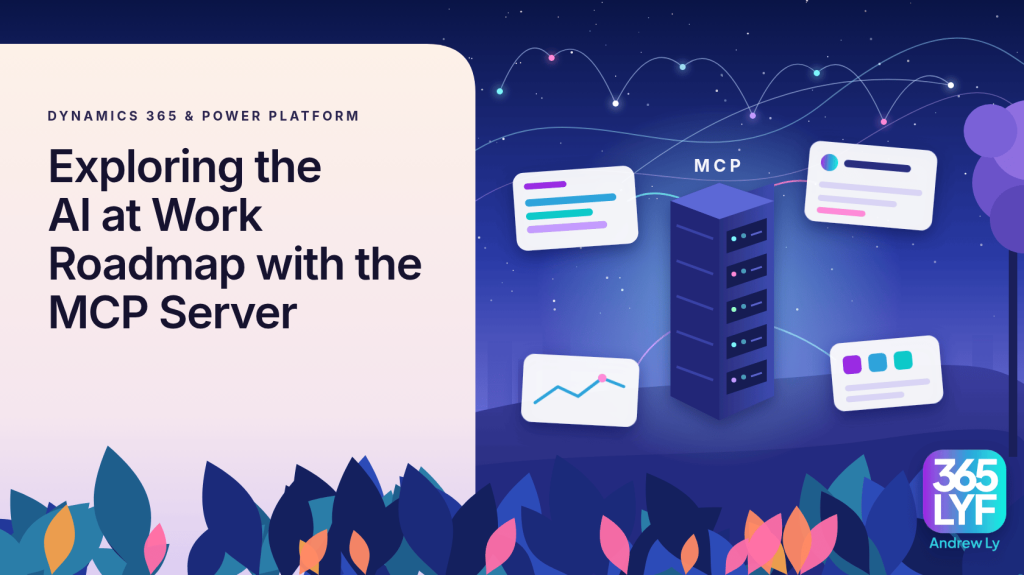
I recently presented this topic at the MS IT Professionals User Group (October 2026). In this article I will cover where the roadmap now lives, how to query it with the Microsoft Release Communications (MRC) MCP Server, and a summary of the Dynamics 365 and Power Platform features announced from April 2026.
Video Walkthrough
In this video I walk through the AI at Work Roadmap website and show the MRC MCP Server in action, querying Dynamics 365 and Power Platform roadmap items in plain language.
Two Ways to Access the AI at Work Roadmap
Microsoft now publishes what is coming across Microsoft 365, Copilot, agents, Dynamics 365 and Power Platform in one place. There are two ways to get at the information.
- On the web: Search by feature ID or keyword, filter by product, status and release phase, and sort by rollout date. Results can be downloaded to CSV or subscribed to via RSS. microsoft.com/en-au/microsoft-365/roadmap
- Via the MRC MCP Server: Connect the Microsoft Release Communications MCP Server to an AI assistant and ask for roadmap items in plain language, filtered by product and date, or pull any entry by its ID. Microsoft Learn: Get started with the MRC MCP Server
The website is fine for browsing. The MCP Server is where things get interesting for practitioners, as it lets you ask questions such as “which Field Service features reach general availability in February 2027?” and get a structured answer back inside the tools you already use.
What is the MRC MCP Server?
The MRC MCP Server is a remote Model Context Protocol (MCP) server published by the Microsoft 365 Change Management team. It provides MCP compatible AI clients with programmatic access to the same data that powers the AI at Work Roadmap and Azure Updates websites.
Key facts:
- Endpoint: https://www.microsoft.com/releasecommunications/mcp
- Transport: Streamable HTTP. The endpoint is not designed for browser access and may return a 405 Method Not Allowed error if opened directly.
- Authentication: None required.
- Licensing: None required. Use is subject to the Microsoft API Terms of Use.
- Data: Public AI at Work Roadmap and Azure Updates content only, refreshed daily.
- Supported clients: VS Code, Visual Studio, GitHub Copilot CLI, Claude Desktop, Claude Code, Cursor, Codex, plus other MCP clients such as agents in Copilot Studio and Foundry.
Because the server only exposes public roadmap data, it does not replace Message Center. If you need tenant specific Message Center and Service Health information, Microsoft offers a separate Microsoft MCP Server for Enterprise, which provides read only access to that data for your organisation.
Available Tools
The server exposes four tools, two for the AI at Work Roadmap and two for Azure Updates.
| Tool | What it does |
|---|---|
| get_recent_m365_roadmaps | Lists AI at Work Roadmap items. Supports OData filtering by product, platform, release ring, cloud instance, status, availability dates and publication dates, plus title search and pagination. Returns up to 50 items per request with truncated descriptions. |
| get_m365_roadmap_by_id | Retrieves a single roadmap item by its ID, including the full description, products and availability dates. |
| get_recent_azure_updates | Lists Azure Updates with OData filtering by product, product category, tag (Features, Retirements, Security and so on), status and dates. Returns up to 50 items per request. |
| get_azure_update_by_id | Retrieves a single Azure Update by its ID with full details. |
Note: At the time of writing, the Microsoft Learn article lists the roadmap tools as get_recent_roadmaps and get_roadmap_by_id, whilst the live server reports them as get_recent_m365_roadmaps and get_m365_roadmap_by_id. If you write system instructions that reference tool names, check what your client actually lists.
Connecting the MCP Server
Microsoft provides a standard configuration that works in most clients:
{
  "servers": {
    "MRC-MCP-Server": {
      "type": "http",
      "url": "https://www.microsoft.com/releasecommunications/mcp"
    }
  }
}
VS Code
- Open
mcp.jsonat either User level (applies to every VS Code session) or Workspace level (.vscode/mcp.jsonin your project folder). - User level file locations: Windows
%APPDATA%\Code\User\mcp.json, macOS~/Library/Application Support/Code/User/mcp.json, Linux~/.config/Code/User/mcp.json. - Add the standard configuration above, then open Copilot Chat in Agent mode and start asking questions.
Claude Code
Add the server from the terminal using the JSON form of the add command:
claude mcp add-json mrc-mcp '{"type":"http","url":"https://www.microsoft.com/releasecommunications/mcp"}'Claude Desktop and Claude.ai
Add it as a custom connector and paste in the endpoint URL. No credentials are needed. This is the setup I use in the video.
GitHub Copilot CLI
Run /mcp add in interactive mode, enter a server name, select HTTP as the server type and press Ctrl+S to save. Alternatively, edit ~/.copilot/mcp-config.json.
Setup guides for Visual Studio, Cursor and Codex are listed in the Microsoft Learn article.
Querying Dynamics 365 and Power Platform Items
Once connected, you simply ask questions. Some examples that work well for Business Applications practitioners:
- Which Dynamics 365 Field Service features on the AI at Work Roadmap were published since April 2026?
- List Dynamics 365 Customer Service features reaching general availability in September 2026.
- What is the status of roadmap ID 573373?
- Which Copilot Studio features are currently in preview?
- Draft an email to my Field Service project team summarising the maintenance planning features coming in February 2027.
Behind the scenes, the AI client translates the question into an OData filter. For example, the first question becomes a call to get_recent_m365_roadmaps with this filter:
products/any(p: p eq 'Dynamics 365 Field Service') and created ge 2026-04-01T00:00:00ZWhen I ran this on 21 October 2026 it returned 36 Field Service roadmap posts. Pulling a single item by ID returns the full record. Here is a trimmed response for roadmap ID 573373:
{
  "id": 573373,
  "title": "Dynamics 365 Sales: Sales tools, skills and plugin are now available in Copilot Cowork",
  "products": ["Dynamics 365 Sales"],
  "platforms": ["Web"],
  "releaseRings": ["General Availability"],
  "cloudInstances": ["Worldwide (Standard Multi-Tenant)"],
  "generalAvailabilityDate": "2026-09",
  "status": "Launched",
  "created": "2026-09-30T23:31:03Z"
}
The full description for this item is also worth reading. It confirms that the native Sales skills in Copilot Cowork call tools published through the Dynamics 365 MCP server to retrieve sales context and perform supported actions, and that the plugin is delivered through the updated MOS package for the Sales app.
Tips for Better Results
- Be explicit: Mention “AI at Work Roadmap” or “Azure Updates” in your prompt. Generic questions may not trigger the MCP tools.
- Use system instructions: If your client supports them, add an instruction telling the model to use the Release Communications tools for roadmap questions.
- Know which date you mean: Availability dates (generalAvailabilityDate, previewAvailabilityDate) describe when a feature reaches customers. Publication dates (created, modified) describe when the post was added or updated on the roadmap. Words like “coming” or “rolling out” map to availability, words like “published” or “updated last week” map to publication.
- Drill into IDs: List calls truncate descriptions. Ask for specific IDs to get the complete text.
- Keep topics separate: Microsoft recommends not mixing Azure and Microsoft 365 topics in a single prompt.
Roadmap Highlights from April 2026
The following is a summary of the features I covered in my user group session, retrieved from the AI at Work Roadmap on 16 October 2026 and the Power Platform September 2026 feature update. Dates are subject to change, so always check the roadmap entry before planning around a feature.
Dynamics 365 Sales
| Feature | Roadmap ID | Preview | Rollout |
|---|---|---|---|
| Sales tools, skills and plugin in Copilot Cowork | 573373 | Not listed | Sep 2026 |
| Choose the data sources AI powered Data Enrichment uses, including CRM notes | 574364 | Not listed | Oct 2026 |
The Data Enrichment change is a practical one. Admins get separate toggles for Outlook emails, Teams meetings and a new CRM notes source. Notes from Sales Premium users enrich their linked records without tenant admin consent or Dataverse search.
Dynamics 365 Customer Service
Most of the Customer Service updates focus on the Quality Evaluation Agent.
| Feature | Roadmap ID | Preview | Rollout |
|---|---|---|---|
| Quality evaluation supports knowledge sources in criteria | 571302 | Sep 2026 | Jan 2027 |
| Recurring conversation evaluations | 573267 | Not listed | Oct 2026 |
| Detailed quality evaluation score breakdown | 571191 | Not listed | Sep 2026 |
| Not Applicable answer option for evaluation criteria | 571192 | Not listed | Sep 2026 |
| Inactivate quality evaluation records | 571193 | Not listed | Sep 2026 |
| Specify who to evaluate in conversations | 573383 | Not listed | Sep 2026 |
| Service tools, skills and plugins for Cowork, Code and Scout | 571678, 573381, 573382 | Not listed | Sep 2026 |
Dynamics 365 Field Service
Field Service has the largest set of updates. They fall into three groups: asset maintenance planning, subcontractor management and Project Operations integration.
| Feature | Roadmap ID | Preview | Rollout |
|---|---|---|---|
| Automate optimisations with the Scheduling Operations Agent | 571675 | Sep 2026 | Apr 2027 |
| Microsoft Copilot in the Field Service mobile app | 571663 | Not listed | Feb 2027 |
| Create and apply reusable maintenance plans to assets | 571664 | Oct 2026 | Feb 2027 |
| Plan maintenance using time, usage and service sequences | 571665 | Oct 2026 | Feb 2027 |
| Generate maintenance work orders within a lead window | 571666 | Oct 2026 | Feb 2027 |
| Forecast planned maintenance demand | 571668 | Oct 2026 | Feb 2027 |
| Optimise maintenance schedules using completed service | 571669 | Oct 2026 | Feb 2027 |
| Review and visualise an asset’s maintenance schedules | 571670 | Oct 2026 | Feb 2027 |
| Onboard mid lifecycle assets into maintenance plans | 571671 | Oct 2026 | Feb 2027 |
| Close out bookings and work orders from subcontractor service reports | 571673, 571672 | Oct 2026 | Feb 2027 |
| Process subcontractor photos, documents and inspection results | 571674 | Oct 2026 | Feb 2027 |
| Preserve actual booking end time when completion is recorded later | 573239 | Oct 2026 | Feb 2027 |
| Bring project material plans into field execution | 570855 | Not listed | Nov 2026 |
| Track costs for non billable field work | 570857 | Not listed | Nov 2026 |
| Support multiple warehouse assignments for field technicians | 570858 | Not listed | Nov 2026 |
| Enhanced visibility into work order financial performance | 570859 | Not listed | Nov 2026 |
| Automatically complete Project Tasks when field work is finished | 570860 | Not listed | Nov 2026 |
| Choose how work order services flow into project financials | 570861 | Not listed | Nov 2026 |
| Support multiple payers across work order lines | 570862 | Not listed | Nov 2026 |
| Book work orders with multiple requirements | 570863 | Not listed | Nov 2026 |
| Streamline mobile work with an optimised Subgrid control | 570641 | Not listed | Oct 2026 |
The subcontractor closeout feature is one to watch. An agent reads emailed subcontractor service reports, matches the work order and booking, and proposes a coordinated closeout for a dispatcher to review and apply.
Microsoft Copilot Studio
| Feature | Roadmap ID | Preview | Rollout |
|---|---|---|---|
| Use MCP compliant tools in agent workflows | 562221 | May 2026 | Jun 2026 |
| Rich interactive app experiences in agents (MCP Apps) | 570433 | Oct 2026 | Nov 2026 |
| Agent sharing amongst makers | 569475 | Sep 2026 | Oct 2026 |
| Express mode for flows invoked by an agent or app | 566999 | Nov 2025 | Nov 2026 |
| Persistent identity for Copilot Studio agents | 570430 | Sep 2026 | Nov 2026 |
| Supercharge your workflows with computer use | 562220 | Apr 2026 | Oct 2026 |
| Self learning for Copilot Studio agents | 570432 | Sep 2026 | Oct 2026 |
| Discover and add skills from the skill catalogue | 571880 | Sep 2026 | Oct 2026 |
| Streamlined agent experience in Microsoft 365 Copilot | 570435 | Not listed | Sep 2026 |
| Use SharePoint lists as a knowledge source | 566859 | Jul 2026 | Sep 2026 |
| Agent Readiness | 568762 | Not listed | Sep 2026 |
| Enforce safe sharing by detecting credential oversharing | 566873 | Jul 2026 | Sep 2026 |
| Dataverse integration on Copilot Studio | 568929 | Aug 2026 | Sep 2026 |
| Cost visibility in preview chat and history | 571194 | Not listed | Sep 2026 |
| SQL Server support in Copilot Studio | 568930 | Aug 2026 | Sep 2026 |
| Improvements to the agent evaluations experience | 569607 | Not listed | Sep 2026 |
| Conversational configuration of connectors | 569930 | Not listed | Sep 2026 |
| Require human approval for tool calls | 570434 | Not listed | Sep 2026 |
MCP features prominently here. MCP compliant tools in agent workflows brings proprietary systems, dynamic knowledge and custom actions into agentic workflows. MCP Apps support means agents can render rich, interactive UI inline when they call a UI enabled tool from a compatible MCP server. Combined with the per tool human approval toggle (570434), makers get more control over what an agent can do and when.
Power Apps
None of the following Power Apps items appear on the roadmap. They come from the Power Platform September 2026 feature update and Microsoft Learn.
| Feature | Status (Sep 2026) |
|---|---|
| Fluent screen templates for canvas apps | Available |
| Bulk update to modern controls, plus new progress bar, avatar and spinner | Available |
| Canvas authoring agent plugin | Generally available |
| Build whole model-driven apps with the app builder skill | Generally available (Learn article marked preview) |
| Embed a generative page inside a model-driven app form | Available |
| Column visualisations for grids | Preview |
| Generative pages can use Power Platform connector data | Public preview |
| Convert a vibe app to a code app | Documented (status not stated) |
| Modern, refreshed look for model-driven apps on mobile | Preview |
| Power Apps native mobile apps | Preview |
The common thread is agentic development. The canvas authoring agent plugin lets makers create, inspect and update canvas apps through their preferred AI coding agent. The app builder skill, used with tools such as GitHub Copilot CLI or Claude Code, turns natural language requirements into a reviewed build plan and then creates tables, forms, views, generative pages, sitemap, security roles, business process flows and business rules.
Power Automate
| Feature | Roadmap ID | Preview | Rollout |
|---|---|---|---|
| Generate documents using forms in SharePoint | 561026 | May 2026 | Oct 2026 |
| Trigger and action for forms in SharePoint | 561025 | May 2026 | Jun 2026 |
| Quick start cards on the Power Automate home page | Not on roadmap | N/A | Available Sep 2026 |
Deprecations and Important Changes
These are the changes most likely to need action from administrators and makers.
| Area | Change | Date | Action |
|---|---|---|---|
| Dataverse | Dataverse for Teams environments | No new environments from 15 Nov 2026, removed 30 Oct 2027 | Upgrade the ones you still need to Dataverse. |
| Power Platform | Unmanaged developer environments | No new environments from 15 Nov 2026, deleted from 15 Jan 2027 | Enable Managed Environments or move solutions. |
| Power Automate | Help chatbot in the maker portal | 9 Sep 2026 | Use the Help (?) menu in the top right instead. |
| Power Automate | Power Automate mobile app | 31 Aug 2026 | Flows keep running. Use Teams Approvals, the portal in a mobile browser, or Power Apps mobile. |
| Power Automate | Export to Power Automate from Visio | From 30 Jun 2026 | Build flows directly in Power Automate. Flows already exported keep running. |
| Dataverse | Field change values in Purview audit events | From May 2026 | Before and after values are dropped from Purview. Read them from Dataverse audit instead. |
| Power Apps | Test Engine | April 2026 | No longer maintained. Move test automation to the Power Platform Playwright samples. |
| Power Apps | Classic look for model-driven apps | April 2026 | Makers can no longer switch back to the classic look. No action needed. |
Final Thoughts
The move away from release wave plans means roadmap information now arrives continuously rather than in two large drops a year. That makes it harder to keep up by reading alone, and this is where the MRC MCP Server earns its place. It is free, needs no authentication and takes a couple of minutes to set up. Once connected, you can ask for exactly the products and dates that matter to your project, pull full details by ID, and turn the results into release notes or client communications without copying and pasting from the website.
It is also a good low risk way to get hands on with MCP itself. Given how much MCP features across Copilot Studio, Dynamics 365 and Power Apps in this roadmap, that experience will be useful well beyond roadmap queries.