

Now Reading: Beyond Built‑In: Enabling External Models for Smarter Agents
-
01
Beyond Built‑In: Enabling External Models for Smarter Agents


In my previous post, I explained about enabling MCP server in D365FO. Initially I had an option for OpenAI models like GPT-* (GPT-4.1, GPT-5etc)
The orchestration model is the core engine your agent relies on for reasoning, coordinating actions, and generating responses. The model you choose has a direct impact on the quality, accuracy, and reliability of your agent’s behaviour.
Although GPT‑4.1 performs well in environments like Visual Studio Code with GitHub Copilot, it should not be used as the orchestration model for agents built in Copilot Studio. For agents that interact with the Dynamics 365 ERP MCP server, the recommended orchestration model is Claude Sonnet 4.5, which consistently delivers higher success rates than default options such as GPT‑4.1.
If Claude Sonnet 4.5 is not available in your tenant, the next best choice is GPT‑5 (Chat).
How to enable Claude model?
Claude models are external models not hosted in Azure. Tenant administrators must approve them for use on the tenant.
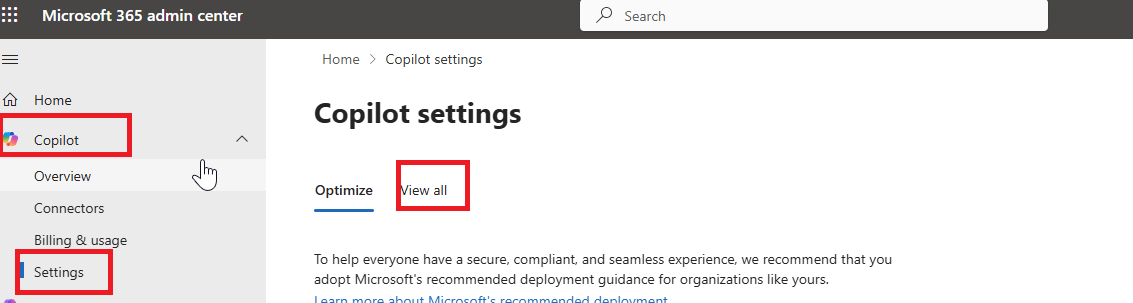
Go to Microsoft365 admin center (https://admin.cloud.microsoft/)
Under Copilot -> Settings. Click ‘View all’
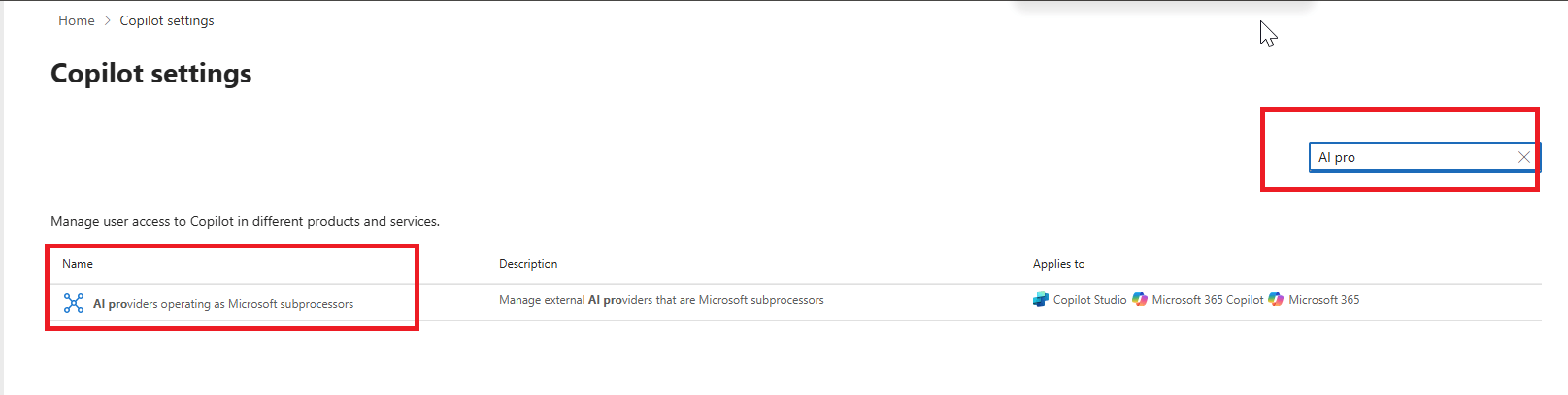
Enter for ‘AI Providers ‘ in the search window
Below window pops up
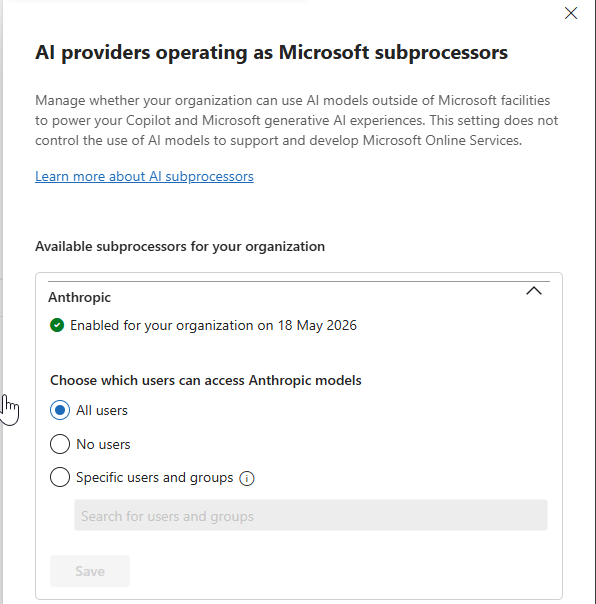
By default, it will be set to ‘No users’ . Either select ‘All users’ or give permission to ‘Specific users and groups’
Save.
Anthropic is a Microsoft subprocessor that operates with Microsoft oversight through contractual safeguards and appropriate technical and organizational measures.
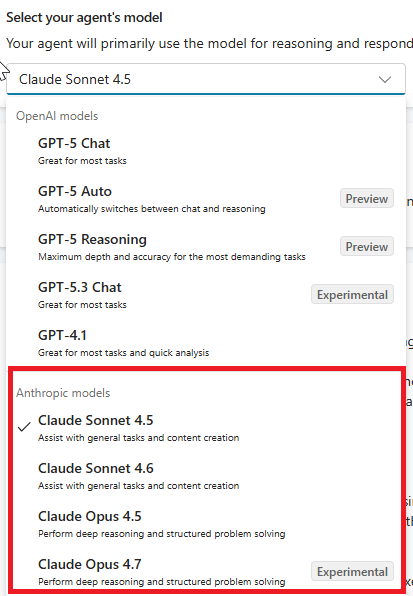
It takes few minutes to reflect the changes in the agent model option. Given below the screenshot
Reference :https://learn.microsoft.com/en-us/microsoft-365/copilot/connect-to-ai-subprocessor
https://learn.microsoft.com/en-us/microsoft-copilot-studio/authoring-select-external-response-model
Original Post https://anithasantosh.wordpress.com/2026/05/22/beyond-built-in-enabling-external-models-for-smarter-agents/


