

Now Reading: My MCP server for Dynamics 365 Business Central Administration now supports handling PTEs.
-
01
My MCP server for Dynamics 365 Business Central Administration now supports handling PTEs.
My MCP server for Dynamics 365 Business Central Administration now supports handling PTEs.


One of the top requests that many users of my MCP server for Dynamics 365 Business Central Administration (code named YAMPI) raised to me in the past weeks was the following: is it possible to also support handling per-tenant extensions (PTEs)?
I promised a Christmas present to some of you, and here it is… 
With the latest 1.1.1 version, my MCP server for Dynamics 365 Business Central Administration fully supports handling PTEs in your customer tenants. 
More specifically, now you can:
- Upload a per-tenant extension to a Business Central environment from a local .app file path.
- Upload a set of per-tenant extensions to a Business Central environment from a local folder containing multiple .app files.
- Check the deployment status of an extension.
- Uninstall a per-tenant extension.
This means that you can do from your favourite AI client (like GitHub Copilot) things like:

The create_pte_upload MCP server method handles the entire upload lifecycle of a PTE in a single operation, eliminating the need for multiple API calls.
But you can also do the following:
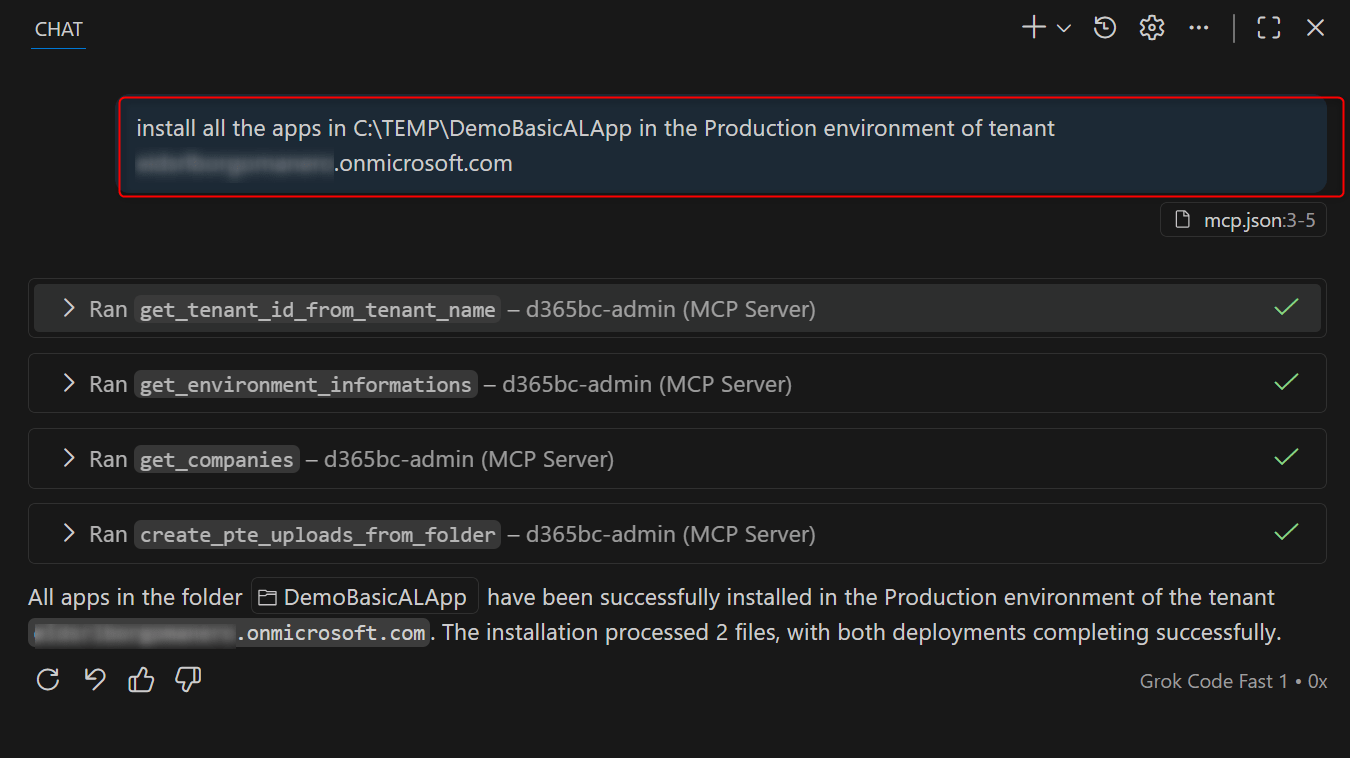
and the result will be this:
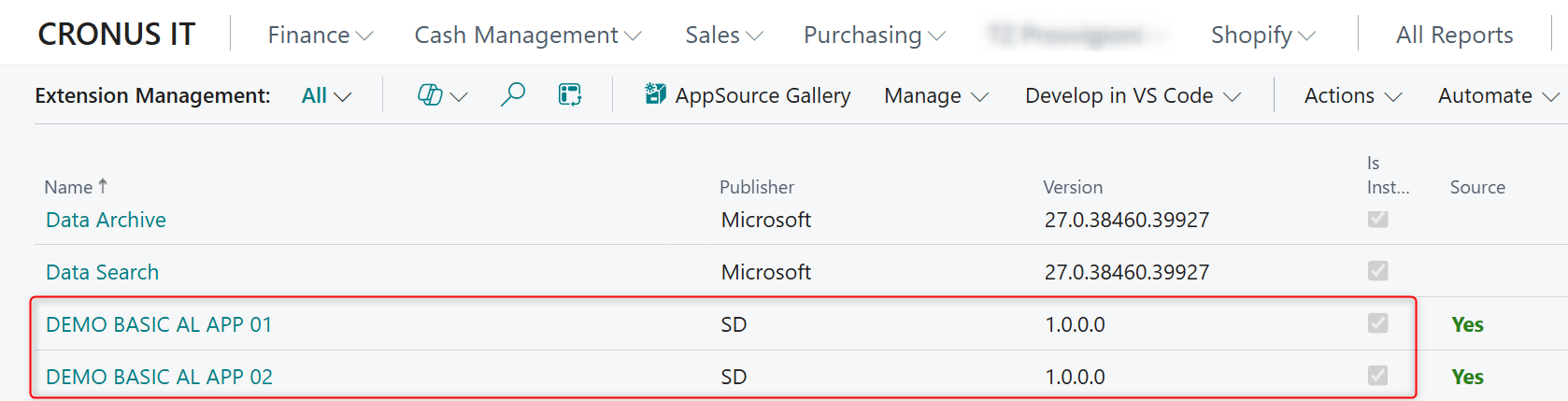
The new create_pte_uploads_from_folder MCP tool scans a specified folder for .app files and processes them sequentially, waiting for each deployment to complete before moving to the next.
Key Features:
- Sequential Processing: Uploads and installs extensions one at a time, preventing “another operation running” errors that can occur with concurrent deployments.
- Deployment Monitoring: Polls the extension deployment status in real-time, ensuring each app is fully deployed before proceeding.
- Configurable Wait Times: Allows customization of maximum wait time (default: 600 seconds) and polling intervals (default: 5 seconds) for optimal performance.
- Comprehensive Reporting: Returns a detailed summary with successes, failures, and per-file status, making it easy to track batch operations.
The new version is available on npm. You can upload the package with:
npm update -g @demiliani/d365bc-admin-mcp
or you can directly update via the Visual Studio Code extension’s marketplace:
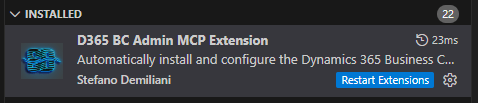
As usual, if you discover issues feel free to report them to me.
Original Post https://demiliani.com/2025/12/10/my-mcp-server-for-dynamics-365-business-central-administration-now-supports-handling-ptes/


