

Now Reading: Handling Empty SQL Query Results in Azure Logic Apps
-
01
Handling Empty SQL Query Results in Azure Logic Apps


When working with Azure Logic Apps, integrating SQL queries is a common way to automate workflows and connect data-driven processes. However, simply running a query isn’t enough—you need to evaluate its output to ensure the workflow behaves correctly. Whether you’re checking for empty results, validating data types, or handling exceptions, proper evaluation helps maintain reliability, scalability, and accuracy in your automation.
This blog explores the handling of empty results, thus the flow can be either terminated or send an alert for no records scenario.
In my case, I am terminating the flow if there are no records returned from the execution of Stored procudure.
Select the action ‘Condition’ and give the below query
equals(string(outputs('Execute_stored_procedure_(V2)')?['body']['ResultSets']),'{}')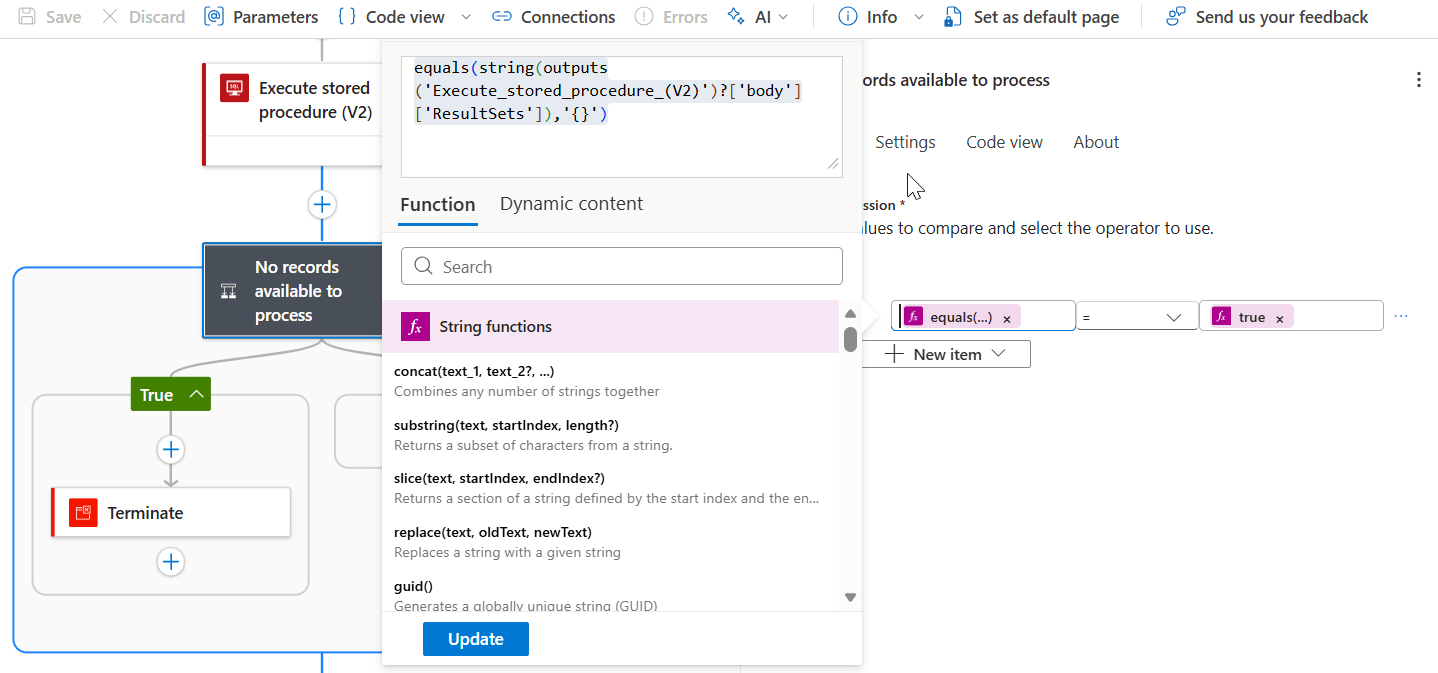
If there are no results , then the flow will be Cancelled.
I used a ‘Terminate’ action and configured ‘Cancelled’ when the condition is met.

Here is the result
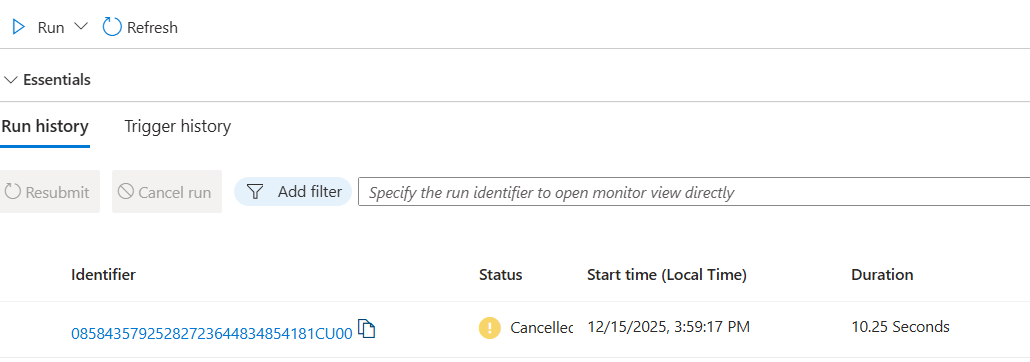
Robust handling of empty result sets strengthens the reliability of your Logic Apps, improves user trust, and ensures that your workflows deliver consistent value across diverse scenarios.
Original Post https://anithasantosh.wordpress.com/2025/12/15/handling-empty-sql-query-results-in-azure-logic-apps/


