


Recently, you have come across the below error while trying to resubmit an Instant flow.

Here is how it can be fixed.
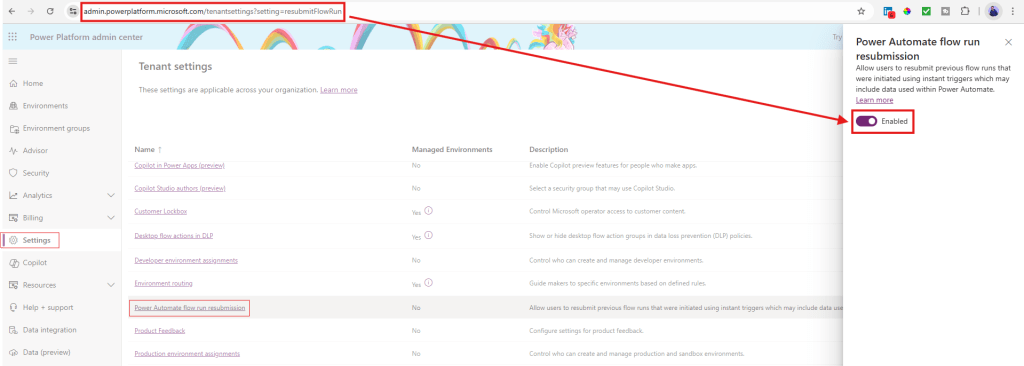
Open the below URL in the browser. It will take you to Power Platform Admin Center > Settings > Tenant Settings > Power Automate flow run resubmission.
https://admin.powerplatform.microsoft.com/tenantsettings?setting=resubmitFlowRun
Enable this setting. (You must be a tenant admin to perform this action and ensure you are logged in to the right tenant.)
Hope this helps. Thank you.