
[ad_1]
Recently I tried out the Power Apps Copilot, which is still in Preview but even though not yet perfect, had actually quite interesting results. I used it to create a basic Issue Tracker app.
Here are my first impressions on this post.
How can I use Copilot?
Currently Copilot is available only for Power Platform environments hosted in the United States.
You can try it out even with a Developer environment. Just make sure that when you create your environment that you select the United States Region. Make sure your browser language is also set up to English (United States).
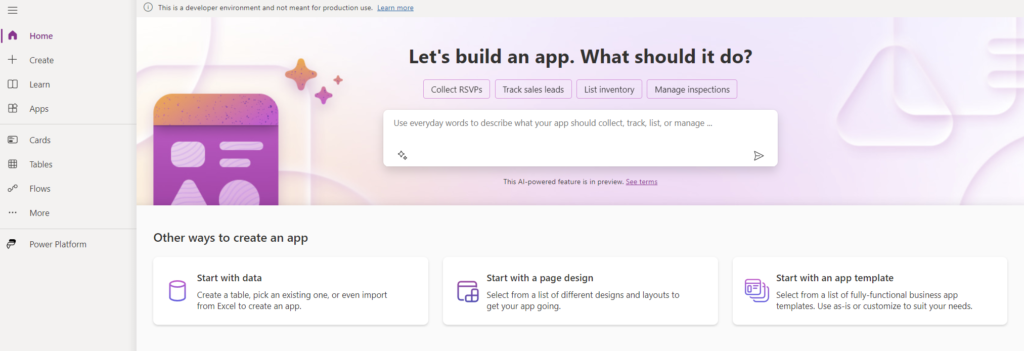
Once created you should already see the Copilot prompt in your home page:
Creating the app
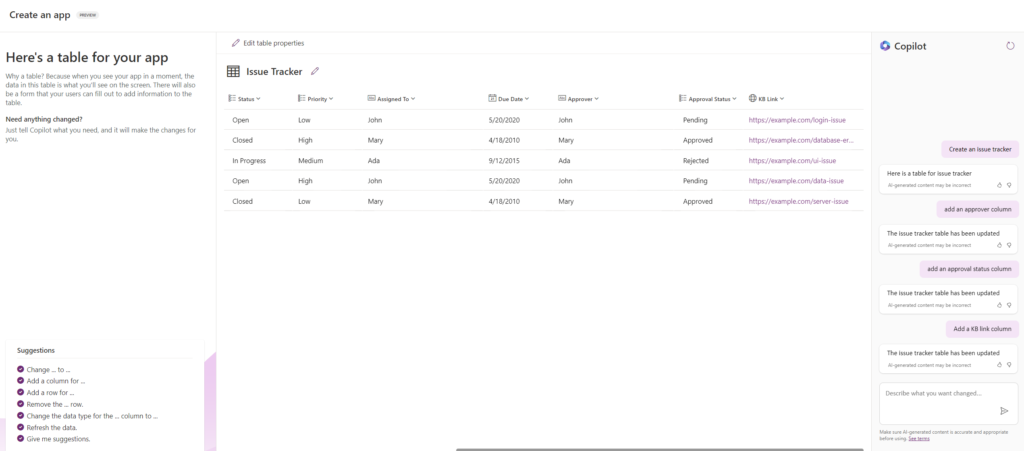
In my tests I asked it to create an Issue Tracker, and also the following prompts:
- Add an approver column
- Add an approval status column
- Add a KB link column
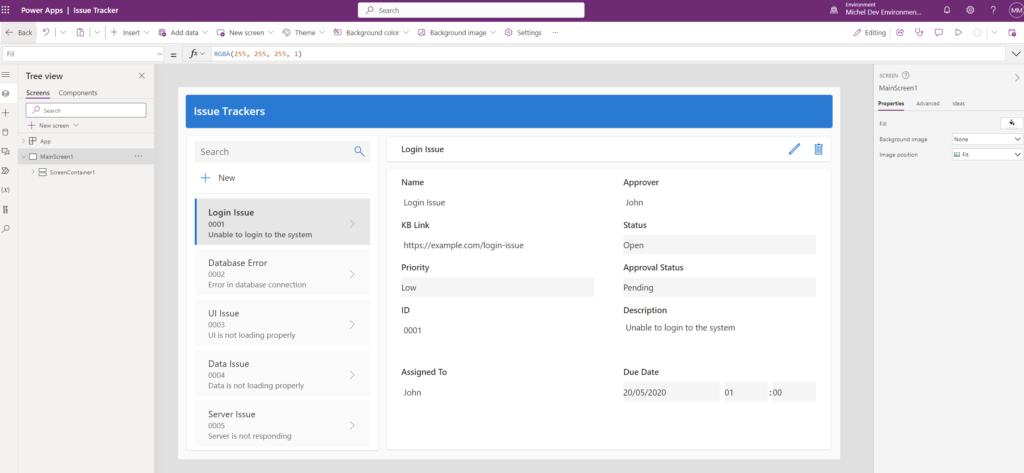
After the app is created, we can see that it automatically brings us a gallery listing data and a form already set up:
Editing…
[ad_2]
Source link