


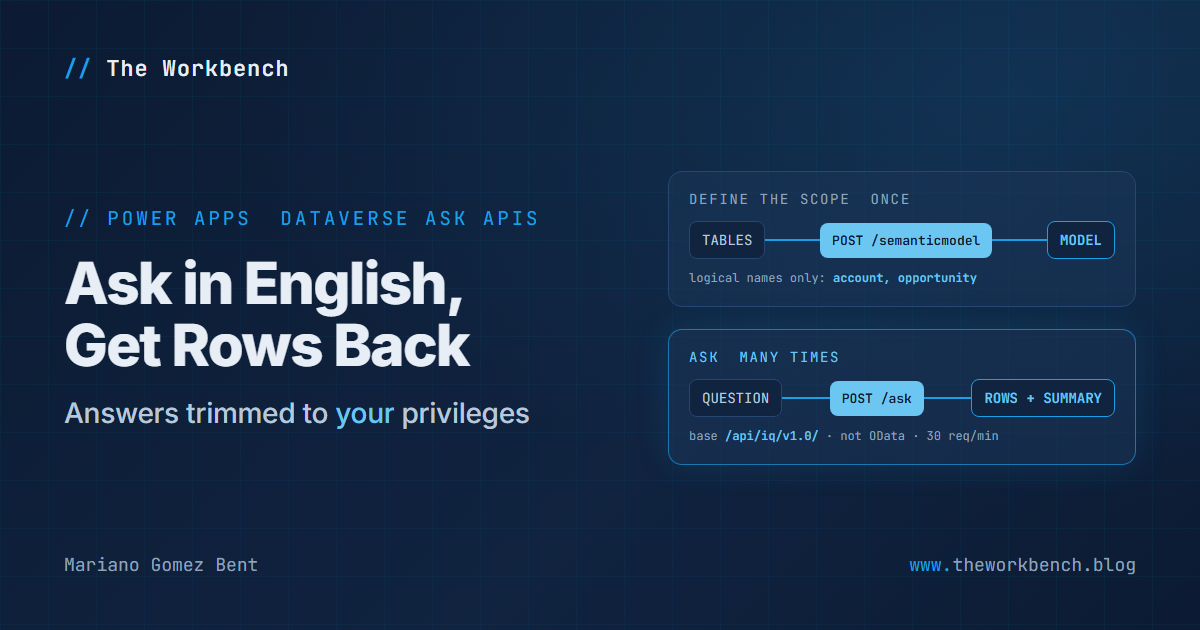
Every so often a question comes back around wearing a different costume. The version I have fielded most often, in one form or another, from just about every organization that has ever put a serious amount of data into Dataverse, goes something like this: “can we let people type a question in plain English and get an answer out of the system, without first teaching them what a logical name is?” It is a perfectly reasonable thing to want. And for a long time the honest answer was that yes, you could build it yourself, with a language model out front, a retrieval layer in the middle, and a great deal of careful plumbing to make sure the thing never returned a row the person asking was not entitled to see. That last part is the part that keeps you up at night.
Well, a set of four new articles landed in the Power Apps developer documentation, all of them dated September 25, 2026, and together they describe a first-party answer to that question. Microsoft calls it the Dataverse Ask APIs. Let us take a look.
Background
Four brand new pages, all in preview, all under a new ask folder in the Dataverse developer documentation:
- Use the Dataverse Ask APIs (preview), the overview and the operation list.
- Get started with the Dataverse Ask APIs (preview), covering the environment prerequisite, authentication, privileges, error handling and retry rules.
- Manage Dataverse semantic models (preview), the list, create and delete operations.
- Ask questions by using a Dataverse semantic model (preview), the operation that does the actual work.
Now, the concept first, because there are exactly two nouns here and everything else follows from them.
A semantic model is a named scope over one or more Dataverse tables. That is the entire definition. You give it a unique name and a list of table logical names, and Dataverse indexes those tables so that questions can be answered from them. An Ask request submits a natural-language question against one of those named models and gets back rows, plus a written summary, plus links to the source records.
So the shape of the thing is: define the scope once, ask against it many times. Makes sense.
Where this lives, and where it does not
Here is the first detail worth slowing down for, because it will surprise anyone who has spent years in the Web API. The Dataverse Ask APIs are not part of the OData service. They live at their own base address:
https://<environment-url>/api/iq/v1.0/
A few things to note. That is /api/iq/, not the /api/data/ you have been typing since roughly forever. There is no service document and no metadata document. None of the OData query options work, so $select, $filter and $expand are all off the table. And there are no SDK for .NET or SDK for Python client classes for these operations at all: you bring an HttpClient, you bring a Microsoft Entra ID access token for the environment, and you talk JSON over HTTPS like it is 2012 again. The documentation is quite direct about the division of labor, and I think it gets it right: use the Web API when your application knows precisely which rows it wants, and use the Ask APIs when the input is a question and you want the service to work out how to answer it.
Authentication is the same Microsoft Entra ID OAuth you already use for Dataverse. Request the <environment-url>/user_impersonation scope for a delegated, interactive application, or <environment-url>/.default for a confidential client running as an application user.
The part that actually matters: whose privileges answer the question
I want to pull one sentence out of the get-started article and put it under a spotlight, because it is the sentence that decides whether this feature is usable in a regulated shop or not:
“The service only uses data that the caller is authorized to read.”
Record ownership, business unit access, sharing and column-level security all still apply. The answer you get is trimmed to the identity that asked. That is exactly the property that is so expensive to build correctly yourself, and it is the reason a first-party implementation is worth paying attention to even if you already have a working retrieval stack of your own.
NOTE: an application using server-to-server authentication runs with the privileges of its Dataverse application user, which means a lazily over-privileged application user quietly turns your carefully trimmed question endpoint into a firehose. Grant that application user only what it actually needs. This is not new advice, but the blast radius is larger than usual here, because the caller is no longer writing the query.
Creating a semantic model
Creating the scope is a single POST. The following creates a model named “Sales pipeline” over the account and opportunity tables:
POST [Organization URI]/api/iq/v1.0/semanticmodel HTTP/1.1
Authorization: Bearer <access token>
Accept: application/json
Content-Type: application/json

{
  "uniqueName": "Sales pipeline",
  "tables": [
    "account",
    "opportunity"
  ]
}
A few things to note. The tables array takes table logical names, so account and opportunity, and the documentation goes out of its way to say not to use display names, entity set names or collection names. A successful call returns 201 Created with the new model’s id and uniqueName. Hold on to both: the uniqueName is what you pass when you ask a question, and the id is what you pass when you delete the model. They are not interchangeable, and the delete operation specifically wants the identifier.
Something else to keep in mind is that semantic model names must be unique within an environment, which makes create the one operation in this API that is not safe to blindly retry. The documentation handles this properly and tells you to list the models first to find out whether your uncertain first attempt actually succeeded before you send it again. That is the kind of small, unglamorous guidance that tells you a real engineer wrote the article.
Asking the question
And here is the payoff:
POST [Organization URI]/api/iq/v1.0/ask HTTP/1.1
Authorization: Bearer <access token>
Accept: application/json
Content-Type: application/json

{
  "query": "Which open opportunities have the highest estimated revenue?",
  "semanticModelName": "Sales pipeline",
  "searchMode": "Auto",
  "count": 100
}
A few things to note. The semanticModelName must be the exact uniqueName of a model you created. count caps the rows in this page and defaults to 100. And searchMode is the interesting knob: Auto lets the service choose, QuickResponse favors a faster answer, and ThinkDeeper favors a more considered one when the question warrants it. The documentation notes plainly that search mode affects response time and that you should set a sensible client timeout and show the user some progress. Good. An interactive control that sits there doing nothing for eight seconds is a support ticket waiting to happen.
The response comes back looking like this:
{
  "rawResult": [
    {
      "opportunity": "Contoso renewal",
      "account": "Contoso",
      "estimatedRevenue": 125000
    }
  ],
  "citationLinks": [
    "[Organization URI]/main.aspx?pagetype=entityrecord&etn=opportunity&id=00000000-0000-0000-0000-000000000002"
  ],
  "summary": "The Contoso renewal has the highest estimated revenue.",
  "totalResultCount": 1,
  "pagingToken": null
}
A few things to note, and this is where I would spend my design time. The shape of each object inside rawResult depends on the question and on the query the service generated to answer it. It is not a fixed row type, and the documentation explicitly warns you not to deserialize every Ask response into one. Treat those items as dynamic JSON objects. Nearly every property in the response is nullable too, summary and citationLinks and pagingToken among them, so display the summary when it is there and do not build a user interface that falls over when it is not.
Paging works by echoing the token back. When pagingToken comes back non-null, you send the same question, the same model, the same search mode and the same count, with the token added, and you keep going until the token comes back null or empty. Copy it exactly. Do not decode it, do not modify it, and do not try to construct one.
Why it matters, for makers
The thing a maker should take away is that a semantic model is not a black box you have to accept as-is. Once it exists, you can fine-tune it on the Semantic model page in Power Apps, and there are three levers:
- Signals: turn system-inferred signal types such as table summaries and form summaries on or off across tables, exclude tables holding sensitive or irrelevant data, and switch off individual views or relationships that are outdated or misleading.
- Glossary: add the business vocabulary the system cannot infer. Acronyms, internal product names, the words your organization uses that nobody else does. This is the lever that decides whether the thing understands your people when they ask about “an RFA” or “the Q3 book”.
- Refresh: the semantic model regenerates automatically every 12 hours, and you can trigger a manual regeneration when you need a change to land now rather than tonight.
That 12-hour cadence is worth writing on the whiteboard before anybody demos this to a business sponsor. Add a glossary term at nine in the morning, and without a manual regeneration you are potentially explaining all day why the agent still does not know what an RFA is.
Why it matters, for professional developers
Three things, in the order I would worry about them.
First, storage. When you create a semantic model, Dataverse indexes the tables you selected, and that indexing consumes Dataverse database storage. You can see the consumption in the DataverseSearch table, formerly called RelevanceSearch, and it counts toward database storage on the Summary and Dataverse tabs in the admin center. So a semantic model is not a free logical view. Scoping a model to “every table we have, just in case” has a bill attached, which is a good reason to do what the documentation suggests and select only the tables relevant to the questions you actually need answered.
Second, throttling. The Ask API sets its own limit, deliberately lower than the general Dataverse service protection limits: 30 requests per user, per organization, per minute. Go past it and you get a 429 with a Retry-After header carrying the number of seconds to wait. Thirty a minute is generous for a human typing questions and very tight indeed for anything resembling a batch job, which tells you plainly what this API was built for.
Third, dependencies. Before you change or remove a model, you can ask which applications and agents are using it by adding a query parameter:
GET [Organization URI]/api/iq/v1.0/semanticmodel?include=botinfo HTTP/1.1
Authorization: Bearer <access token>
Accept: application/json
A few things to note. With include=botinfo, each model in the response carries the model-driven apps that reference it and a bots collection naming the bot components and agents that use it. The value is not case-sensitive and include accepts a comma-separated list, which suggests more values are coming. Run this before you delete anything. And keep in mind that the delete operation only removes models you created through the create operation: models associated with an app module, a bot or an agent cannot be deleted through this API at all.
The demo I would build
The demo concept I like here is a small, boring command-line tool, because a boring tool makes the interesting part visible. Call it dvask. It does four things: creates a semantic model from a list of table logical names, lists the models in the environment, asks a question and prints both the summary and the rows, and deletes a model by identifier.
The demo that lands, though, is not the happy path. It is running the exact same question twice, from two identities: once as a system administrator, and once as a salesperson whose security role only reaches their own business unit. Same question, same semantic model, two different answers, both correct. That is the whole value proposition of a first-party implementation in one side-by-side screenshot, and it is the thing that is genuinely hard to build yourself.
The second demo, for the developers in the room, is the paging loop, because it is the one piece of the protocol where it is easy to write a bug that only shows up on the third page in production.
The companion repo
Sketching this the way I would lay it out, in the project-orion-lab style:
dataverse-ask-lab/
  README.md                 prerequisites, the Work IQ toggle, role requirements
  src/
    DvAsk/
      Program.cs            verb dispatch: create | list | ask | delete
      AskClient.cs          HttpClient wrapper over /api/iq/v1.0/
      TokenProvider.cs      MSAL: delegated and client-credentials flows
      Models.cs             request types; responses stay JsonDocument
  samples/
    sales-pipeline.json     semantic model definition: account, opportunity
    questions.txt           the question set used in the demo
  scripts/
    compare-identities.ps1  same question, two identities, side by side
  docs/
    throttling.md           the 30/minute limit and the backoff implementation
A few things to note about that layout. Models.cs deliberately holds request types only: the responses stay as JsonDocument, because as we established, rawResult has no fixed shape and pretending otherwise is how you ship something that works beautifully against your demo data and falls apart on the customer’s. compare-identities.ps1 is the star of the repo even though it is the smallest file in it. And throttling.md earns its place because the retry guidance in the documentation is unusually specific, and specific guidance deserves a reference implementation: honor Retry-After first, fall back to exponential backoff with jitter, cap the attempts and the total elapsed time, do not fire retries in parallel, and never retry a 400.
Steps to recreate
1) Go to the Power Platform admin center, select your environment, and turn on Business Applications in Work IQ for this environment. Nothing in this API works until that is on, and a request against an environment without it comes back as a 400 Bad Request rather than anything more helpful.
2) Register an application in Microsoft Entra ID. For an interactive tool, configure delegated access and request the <environment-url>/user_impersonation scope. For a service, create a Dataverse application user and request <environment-url>/.default.
3) In the Power Platform admin center, give the calling identity a security role that can create and delete semantic models. The documentation names four that already include the privileges: Dataverse Search Role, Environment Maker, System Administrator and System Customizer.
4) Make sure the identity that will ask questions has Read access to every table and column in the model. This is a separate concern from step 3: managing models and querying through them are different privileges.
5) POST to /api/iq/v1.0/semanticmodel with a uniqueName and a tables array of logical names. Save the id and the uniqueName from the 201 Created response.
6) POST to /api/iq/v1.0/ask with your query and the semanticModelName. Read summary for the prose and rawResult for the rows.
7) To tune it, go to make.powerapps.com and open the Semantic model page, then work through Signals and Glossary. Trigger a manual regeneration when you want your changes to take effect before the next automatic 12-hour refresh.
8) Before deleting anything, GET /api/iq/v1.0/semanticmodel?include=botinfo and read the bots collection to see what depends on the model.
NOTE: the documentation does not give a click path for creating a semantic model from the Power Apps maker portal, only for fine-tuning one that already exists. The create, list and delete operations are documented as API operations. So for now, treat the API as the way models get created and the maker portal as the way they get tuned. If a maker-portal creation path exists, these four articles do not describe it, and I would rather tell you that than guess at a menu.
Final Notes
Two closing thoughts.
The first is that this is preview documentation, with everything that implies. Property names, the searchMode values and the shape of the response are all fair game for change before this reaches general availability, and the articles are marked accordingly. Build the client, do not build the company on it. Not yet.
The second is more of an observation. Look at where these articles were filed. Not under a copilot or an AI heading, but in the Dataverse developer documentation, alongside the Web API, with an error-code table, a retry policy, service protection limits and operation-safety guidance for every verb. Natural-language querying, in other words, is being documented as an ordinary data access API that happens to take a sentence as input. That is a quiet shift in framing, and it is a very healthy one. It is a good deal easier to reason about something when it arrives with a 429 and a Retry-After header attached.
Until next post!
MG.-
Mariano Gomez Bent
Former Microsoft BizApps MVP