

[ad_1]
Until some time ago there was only a replace function in list formatting, which allowed us to replace only the first occurrence of a value in a string.
Recently Microsoft released two new operators for list formatting:
- replaceAll
- split
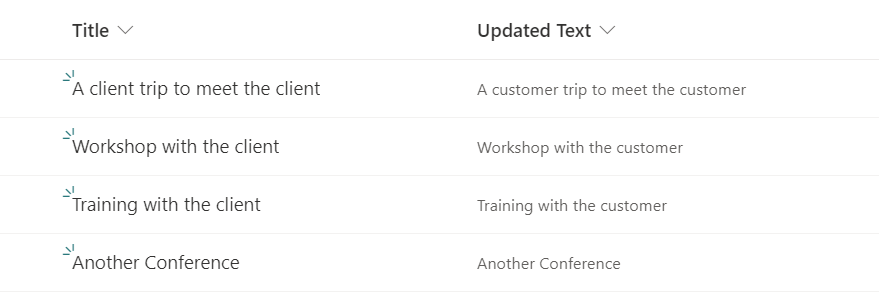
With the replaceAll we can easily replace with all occurrences of a value in a string as in the example below, where we replace client by customer:
replaceAll has 3 parameters: field, original value, replacement value
replaceAll('fullString','value','replacement')Sample JSON:
{
  "$schema": "https://developer.microsoft.com/json-schemas/sp/v2/column-formatting.schema.json",
  "elmType": "span",
  "txtContent": "=replaceAll([$Title],'client','customer')"
}
Result (used in the Updated Text field):
The split operator accepts as a parameter a string and a value to split it:
=split('fullString','valueToSplit')It outputs an array with the results, so for example, the below expression:
=split('A client trip to meet...[ad_2]
Source link