


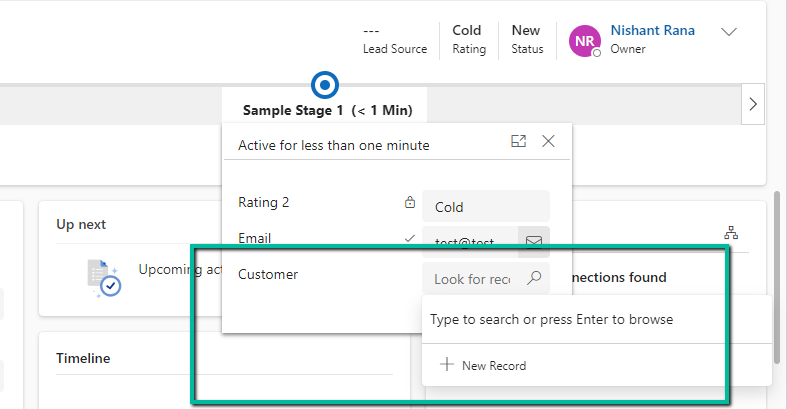
Suppose we have the below Customer Lookup in the Sample Stage of a Business Process Flow.
As we can see the lookup shows the Recent records there.

Now say we have applied filtering to the lookup using addPreSearch so we need to disable the recent records options in it.
To do so for the fields in BPF –
Open the corresponding table of the BPF (will have the same name as BPF)

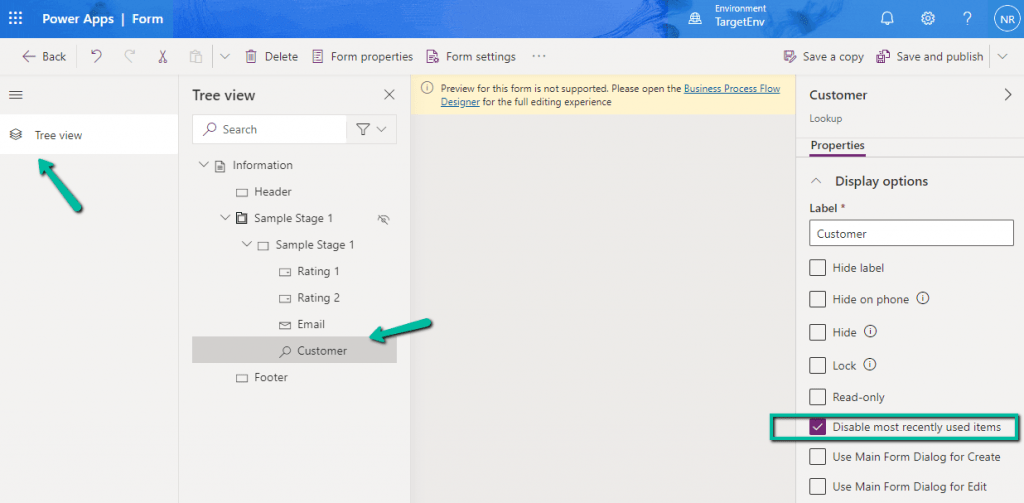
Open the form, select the Customer (lookup) field from the Tree View, and check the Disable most recently used items (save and publish the change)

As expected we can now see the recent records options not appearing for the Customer lookup in the BPF.
Hope it helps..
Advertisements
Discover more from Nishant Rana’s Weblog
Subscribe to get the latest posts sent to your email.
Share It –

